How to Report an Issue or Bug in SuperNinja
Last updated: March 10, 2026
If you encounter a bug or issue in SuperNinja, you can reach out to NinjaTech AI Customer Support (support@ninjatech.ai). Our team will review your report, help resolve the problem, and provide recommendations. To make it easier for us to assist you, please follow these steps:
1. Describe the Bug in Detail
Provide as much information as possible about the issue, including:
What happened — describe the problem clearly.
When it occurred — date and time of the issue.
What you were doing — the steps you took that led to the bug.
Which tool or feature you were using.
Any attempts to reproduce it — what you tried and the outcome.
The more details you provide, the faster we can investigate.
2. Provide a Shareable Chat Link
To help us investigate further, share your conversation link:
Open the conversation where the bug occurred.
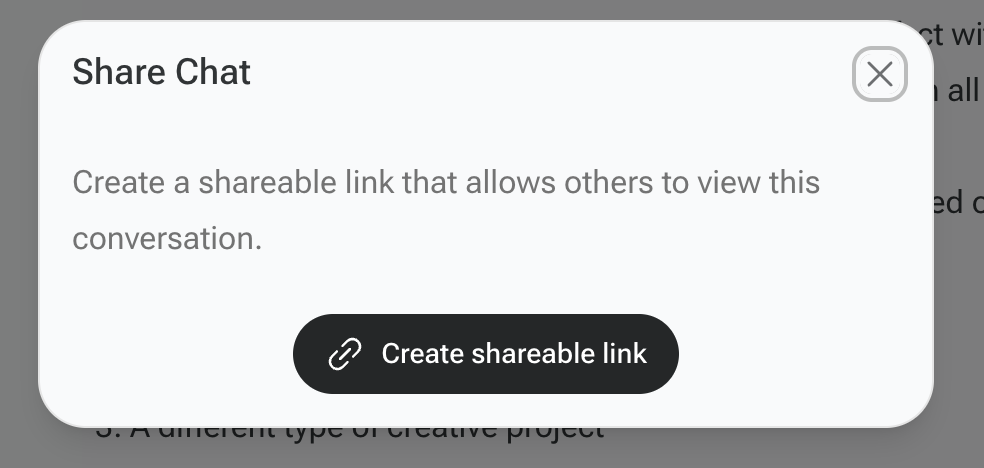
Click on the share icon in the top-right corner of the chat window.
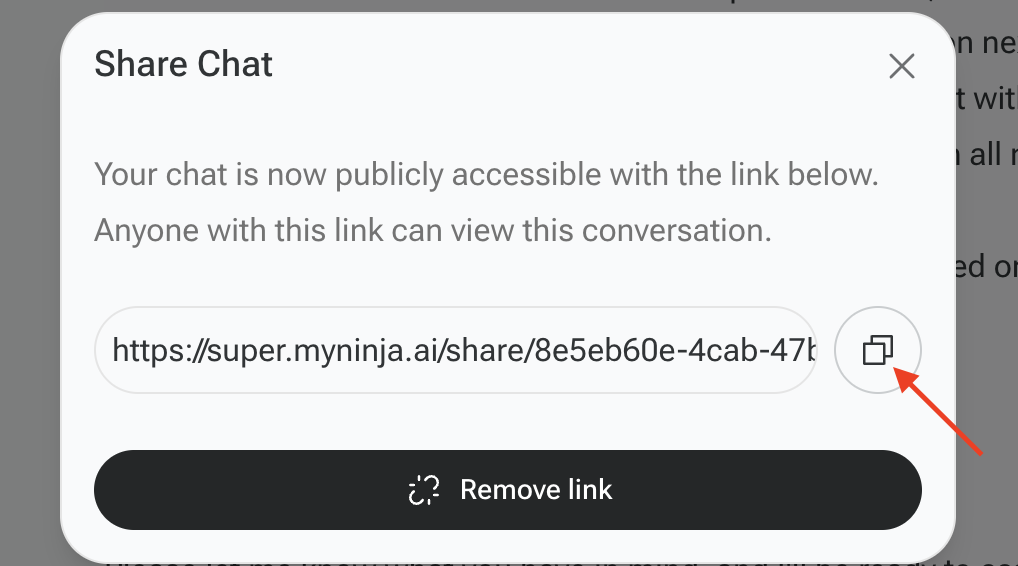
Select “Create shareable link” and click Copy link.
Include this link in your bug report.

3. Submit Your Bug Report
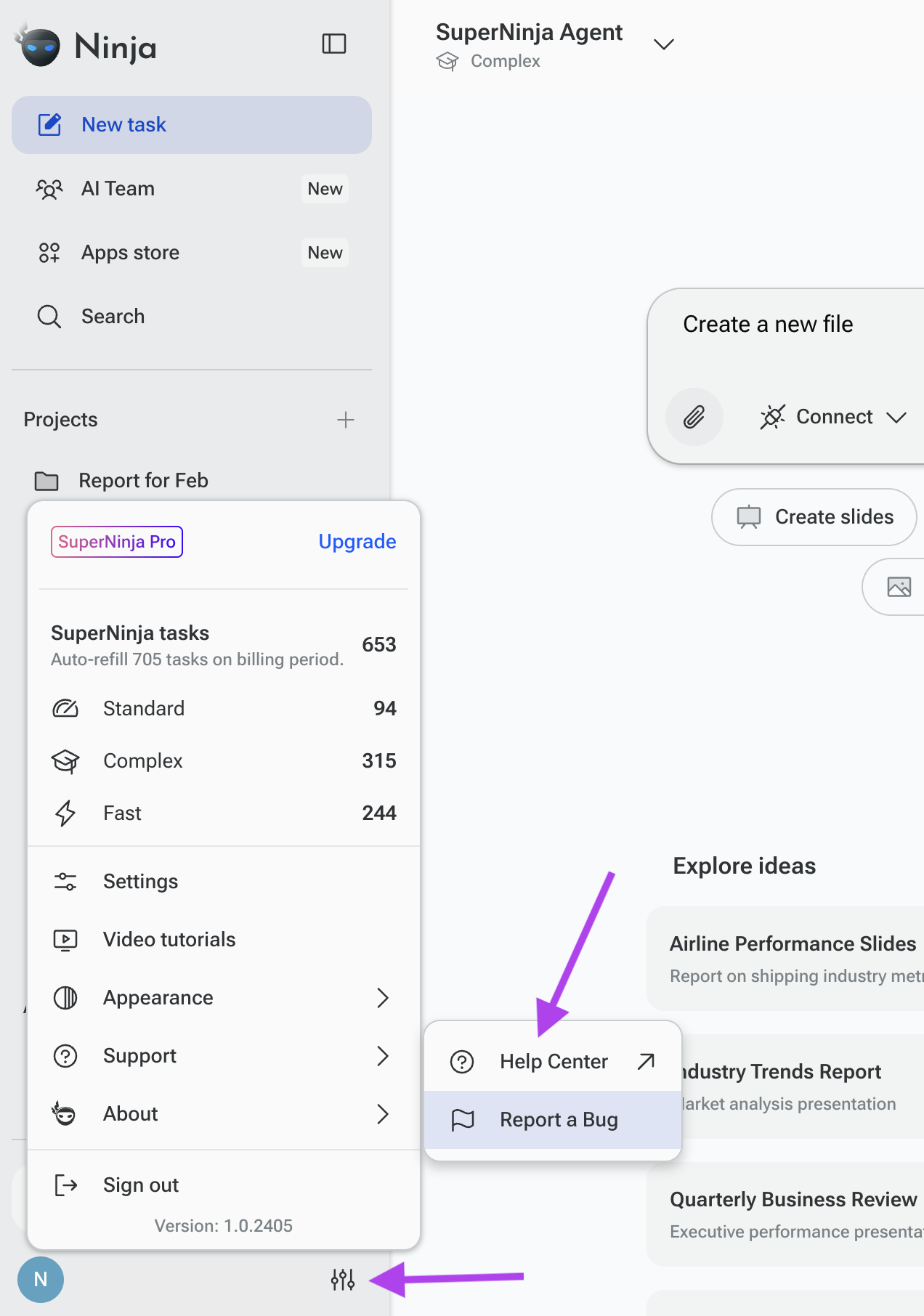
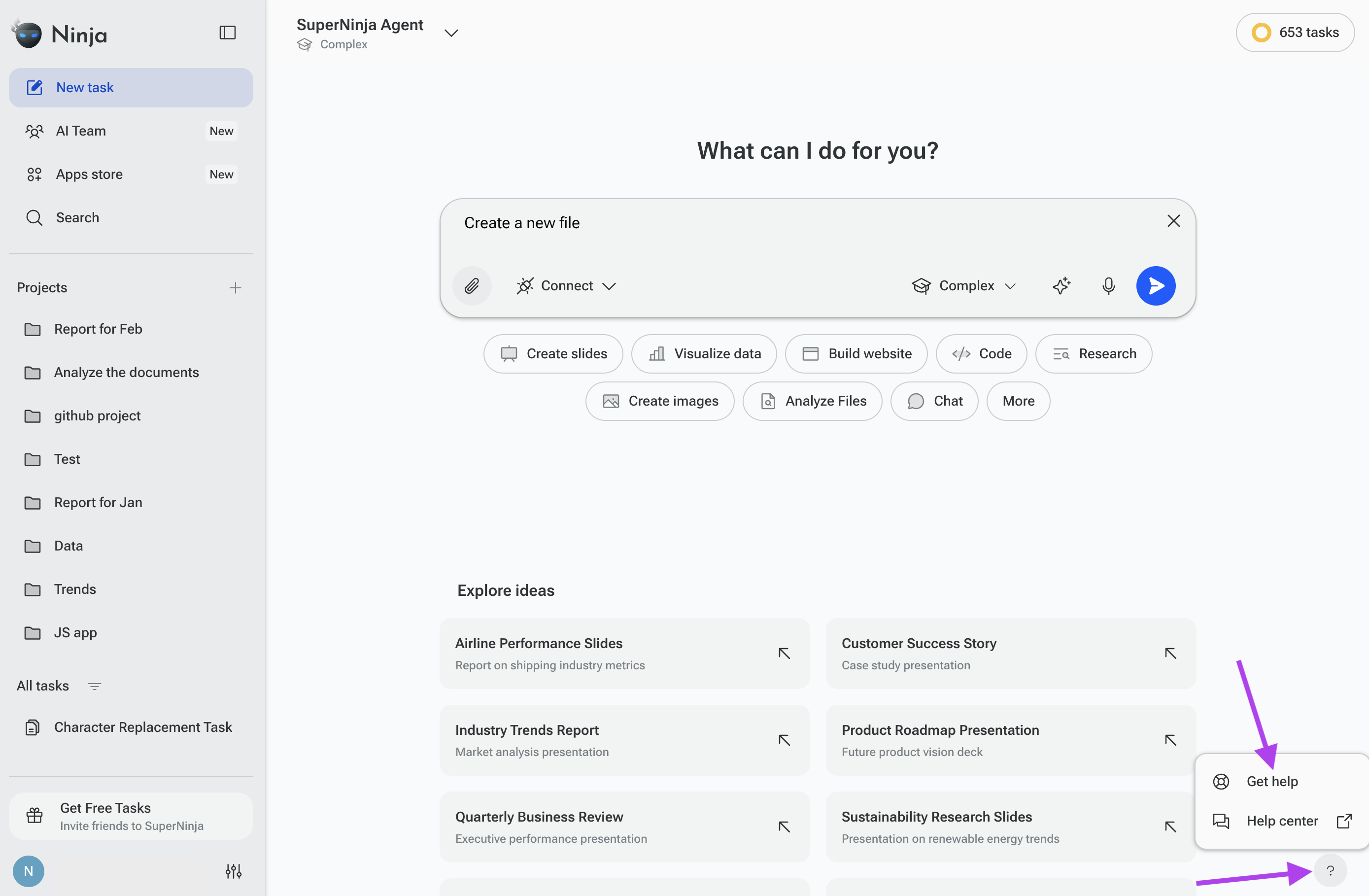
Click the question mark icon in the bottom-right corner of the platform.
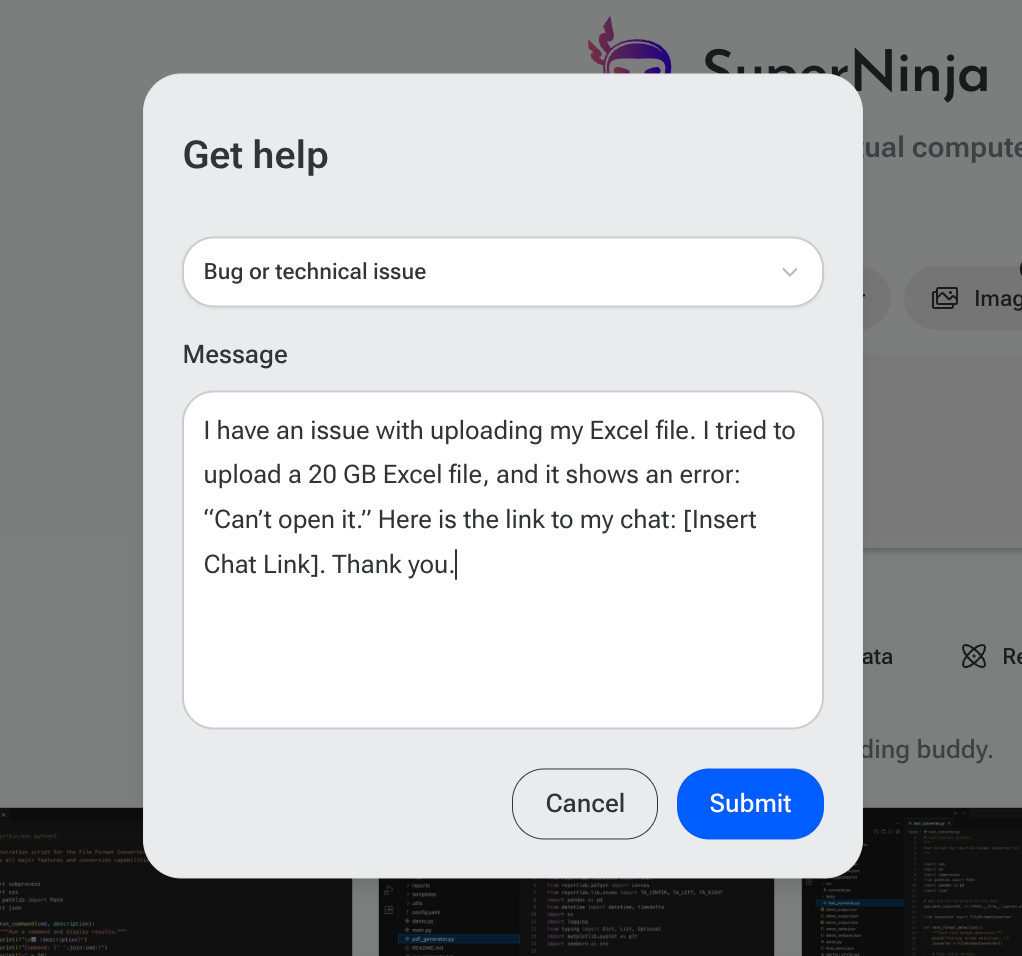
Select ‘Bug’ or ‘Technical Issue’ in the dropdown menu.
Paste your detailed bug description and the shareable chat link in the message.
Send it to Customer Support.
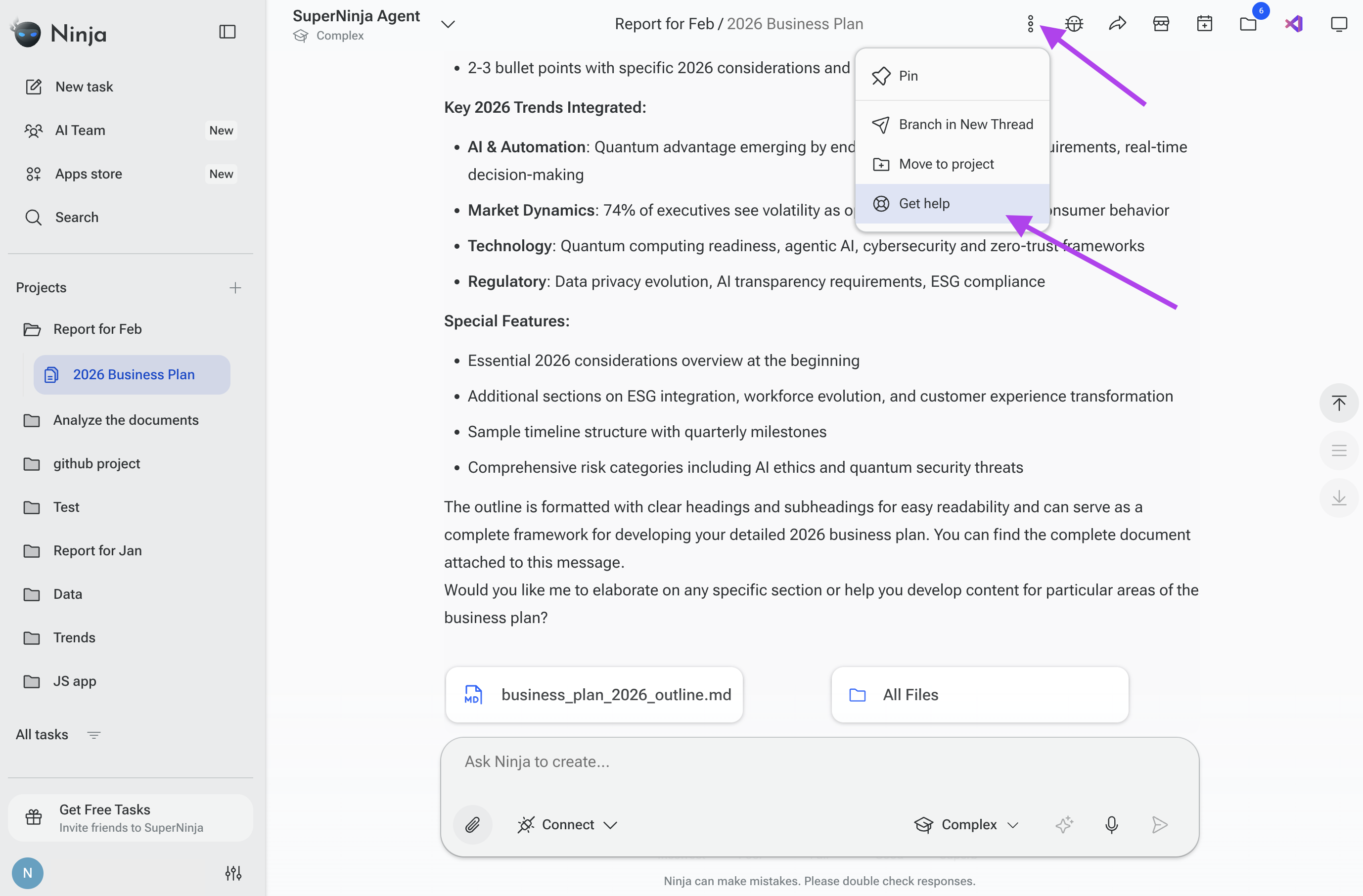
Example Bug Report
Message: I have an issue with uploading my Excel file. I tried to upload a 20 GB Excel file, and it shows an error: “Can’t open it.” Here is the link to my chat: [Insert Chat Link]. Thank you.
4. Support Response Process
When you contact support via email :
You'll receive an automatic confirmation email with a ticket number for tracking
A support team member will respond within 24 hours during business hours (9:00 AM – 9:00 PM PST)
You can reply to the support email to add additional information to your existing ticket
If you have any questions, please contact us at support@ninjatech.ai or submit a request through this form. We’re here to help!