How to Delete Files from SuperNinja
Last updated: March 10, 2026
You can easily delete uploaded files in SuperNinja, whether you want to remove specific files or all files at once. Follow these steps:
Open your chat in SuperNinja.
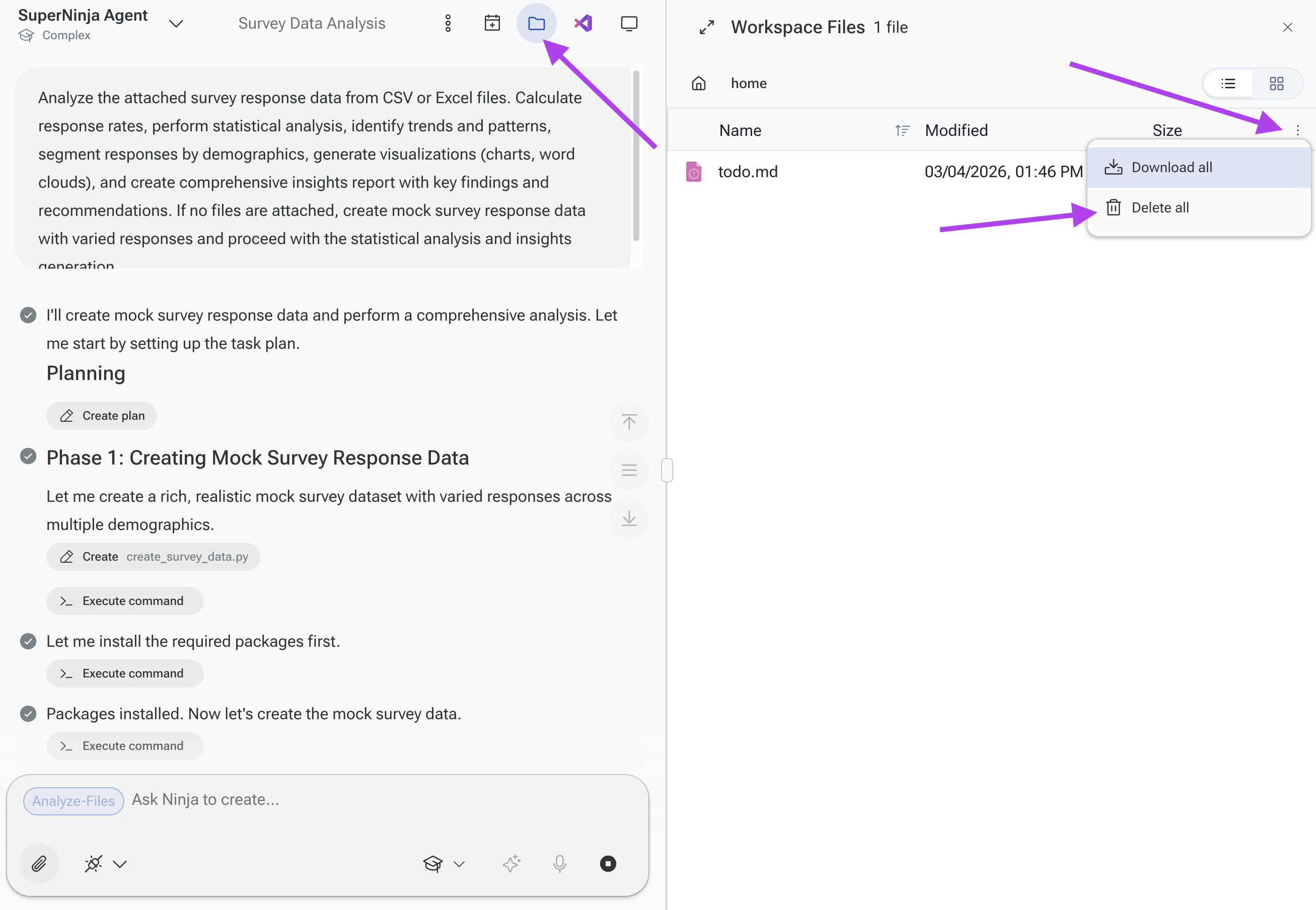
In the top-right corner, click the folder icon to access your File Workspace.
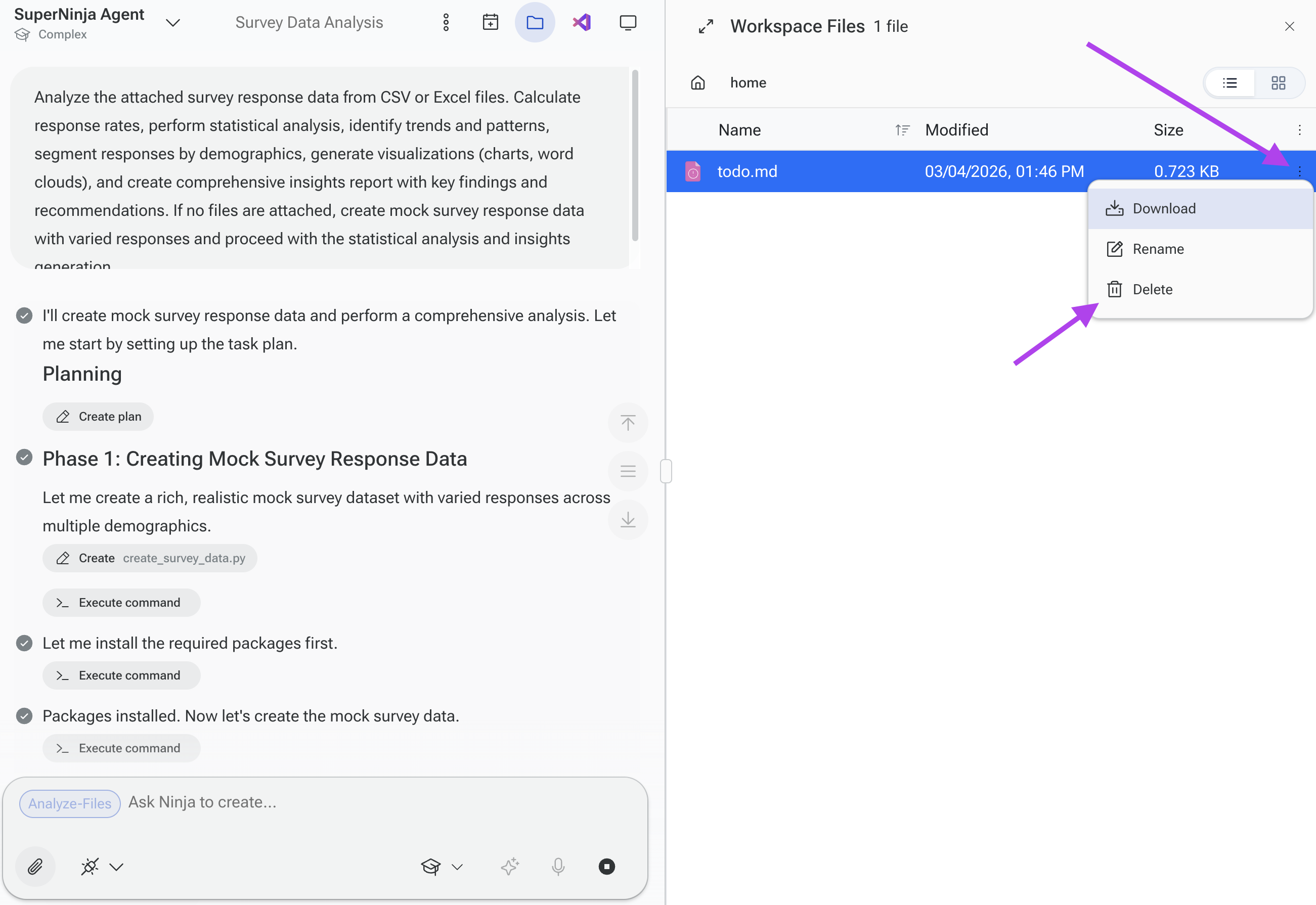
Locate the file you want to delete.
Click the three dots next to the file or next to the Size column.
Select Delete to remove the file.
You can repeat this process for multiple files or delete all files in the workspace if needed.
Deleting Files by Deleting a Chat
If you prefer, deleting the entire chat where files were uploaded will automatically remove all files associated with that chat.
If you have any questions, please contact us at support@ninjatech.ai or submit a request through this form. We’re here to help!