How to cancel a subscription?
Last updated: September 3, 2026
You can cancel your Ninja AI subscription at any time.
When you cancel your subscription, it will continue until the end of the current billing cycle. At that time, your account will be downgraded to the Basic tier.
To cancel your subscription, please follow the steps:
Log in to your Ninja AI account.
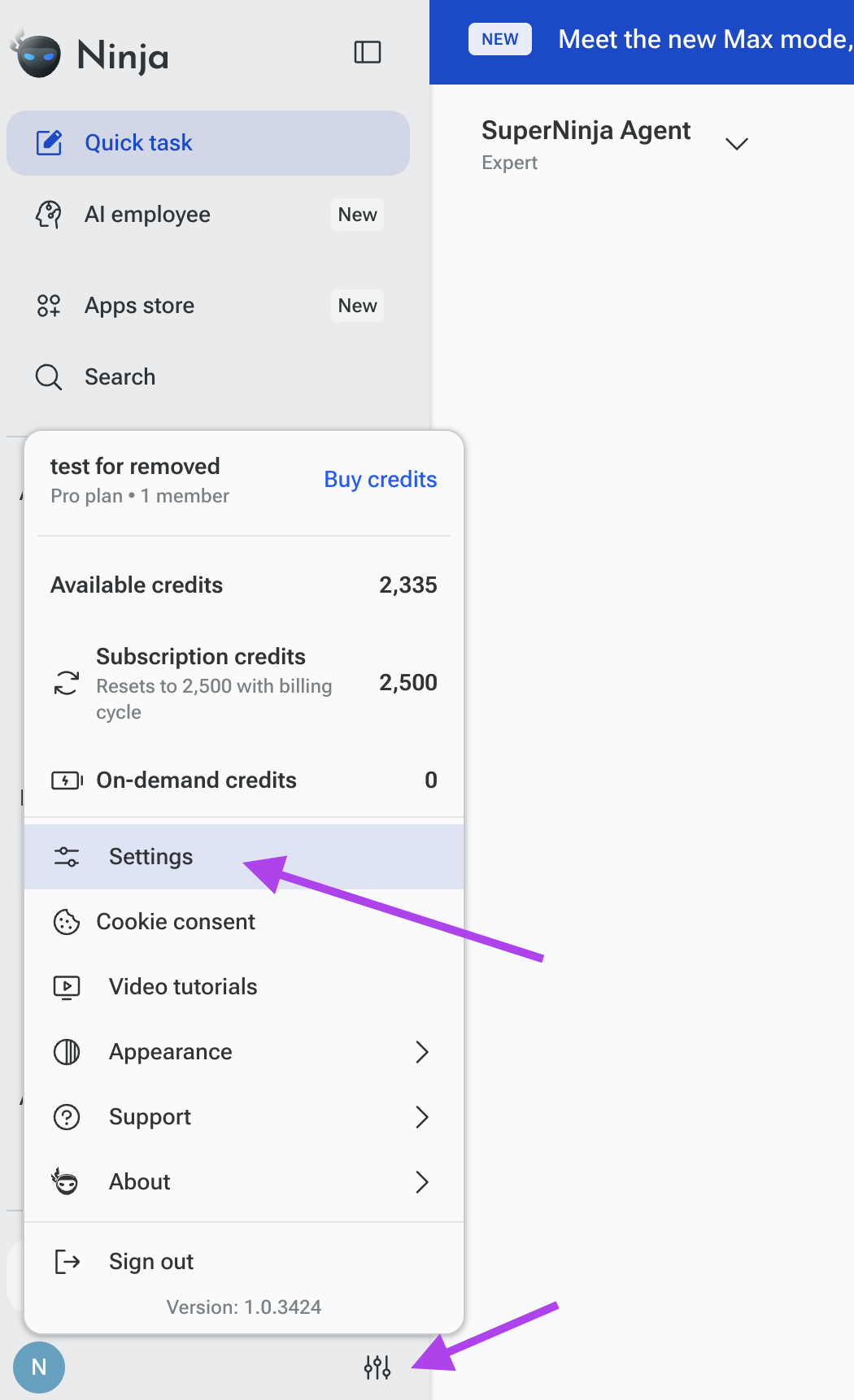
Click on your avatar in the lower left corner.
Go to 'Settings' in the left navigation
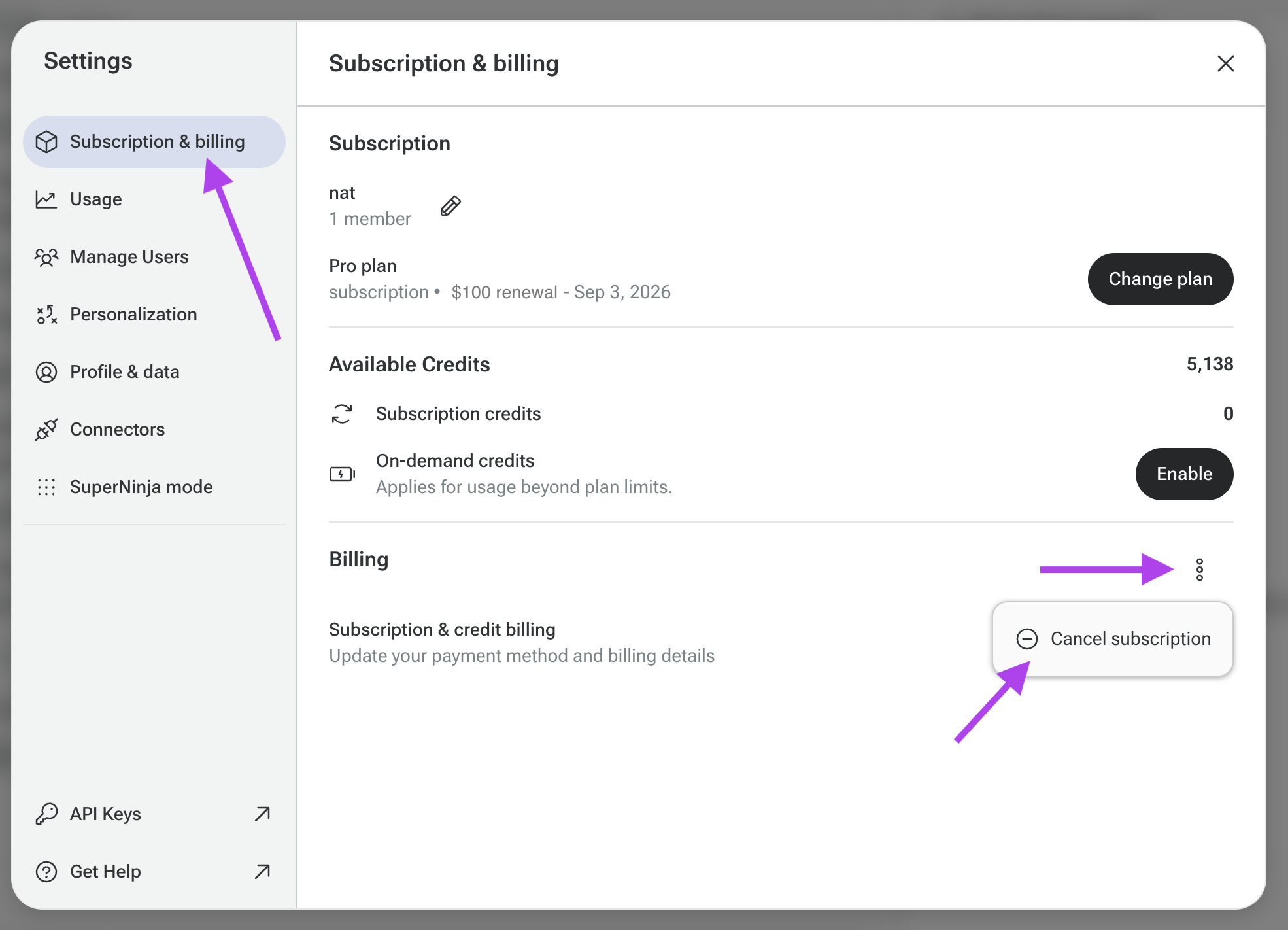
Click on 'Subscription & billing'.
Then, go to the 'Billing' section, click the three dots (⋮), select Cancel Subscription, and confirm your choice.
If you have any questions, please contact us at support@ninjatech.ai or submit a request through this form. We’re here to help!