How to Downgrade Your Subscription
Last updated: September 9, 2026
If you want to switch to a plan with fewer credits, you can change your subscription directly from your Ninja account. Your new plan will take effect at the start of your next billing cycle.
How to change your plan
Log in to your Ninja account.
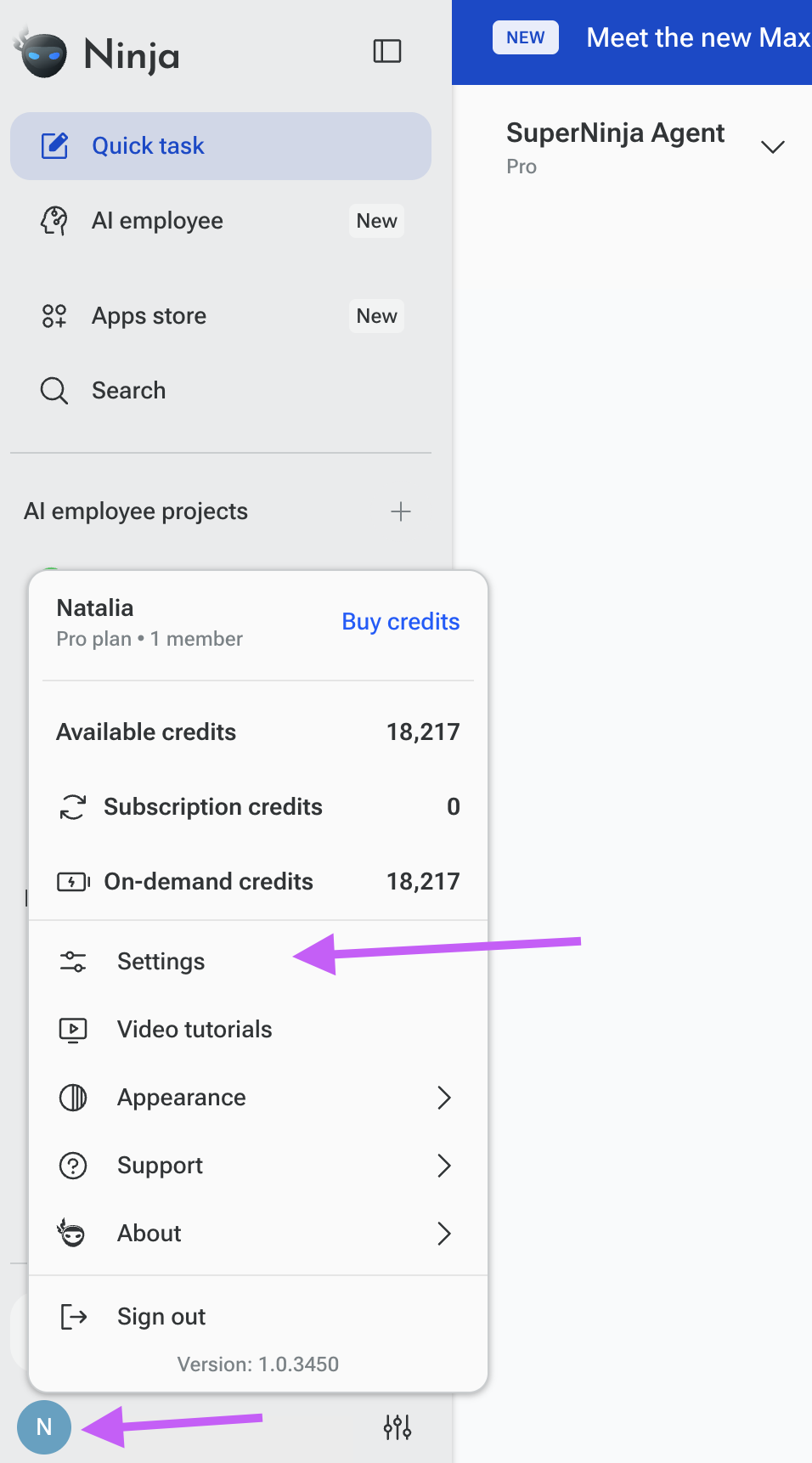
Click your profile icon with your initials in the bottom-left corner.
Select Settings.
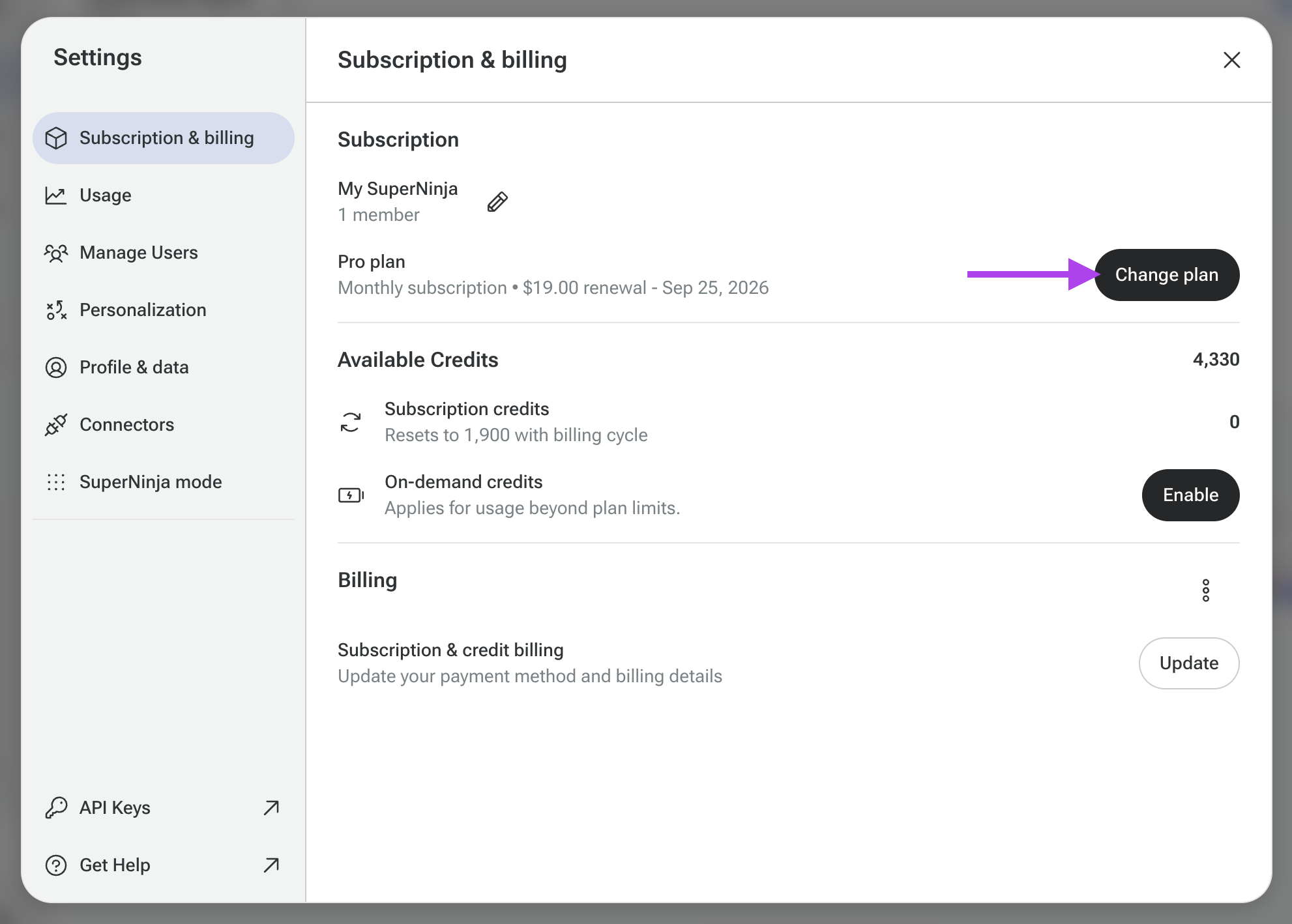
Click Change plan.
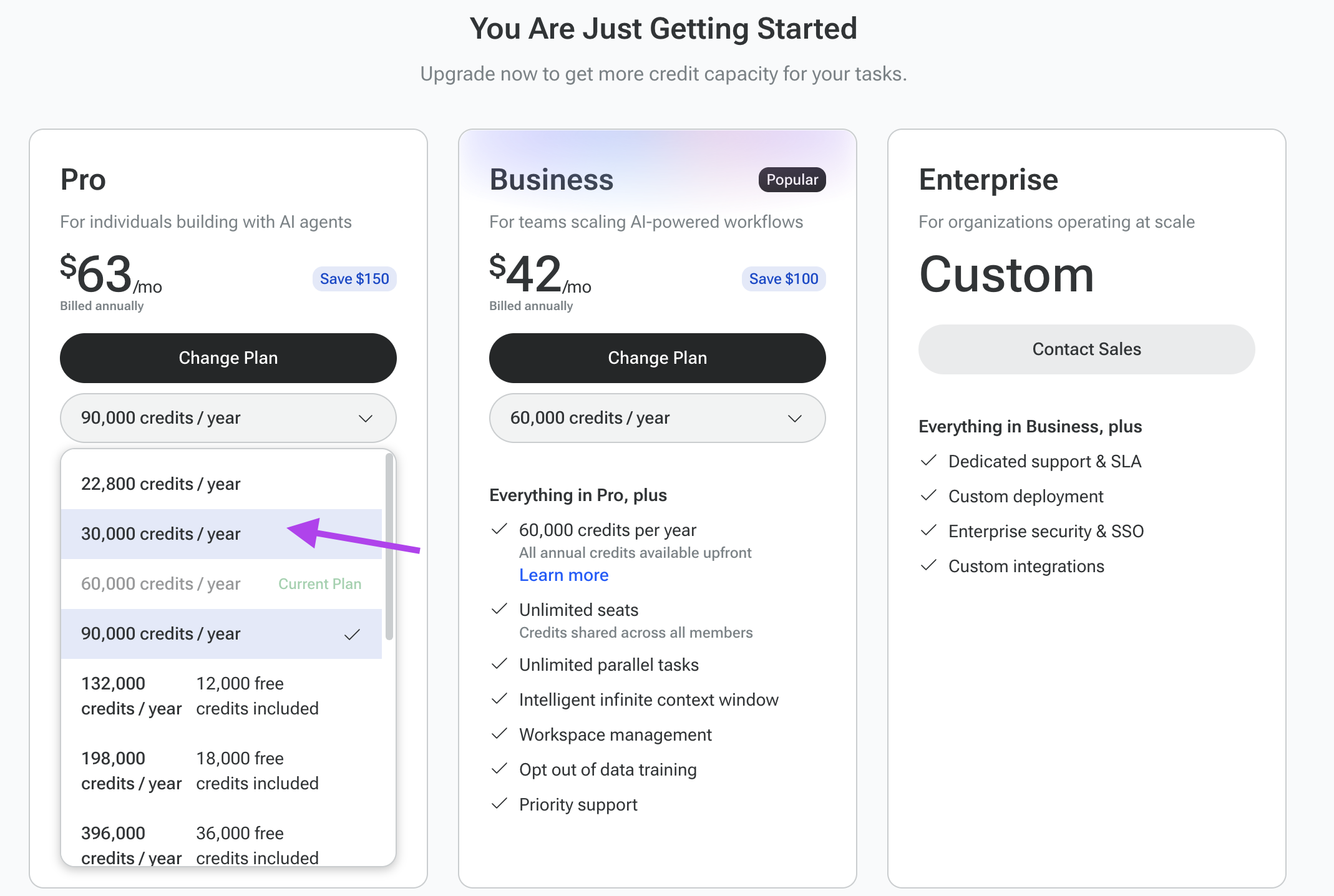
Choose your preferred plan from the dropdown menu. You can select a plan based on the number of credits you need.
Confirm your plan change.
What happens after you downgrade?
Your current plan will remain active until the end of your current billing cycle. You will be charged the price of your new plan starting with your next billing cycle.
Your existing credits will not be lost when you change your plan. Any credits already available in your account will remain in your account, subject to the applicable credit expiration or usage terms.
If you change your mind, you can also update your plan again from Settings → Change plan.
If you encounter any issues during the upgrade process or have questions about plan features, please contact our support team for assistance at support@ninjatech.ai or submit a request through this form. We’re here to help!