Undo Button – Go Back to a Previous Step
Last updated: June 26, 2026
The Undo button is a useful tool in SuperNinja that allows you to go back to an earlier step in your task. This can help if you want to undo a mistake, remove the last prompt and actions, or try a different approach.
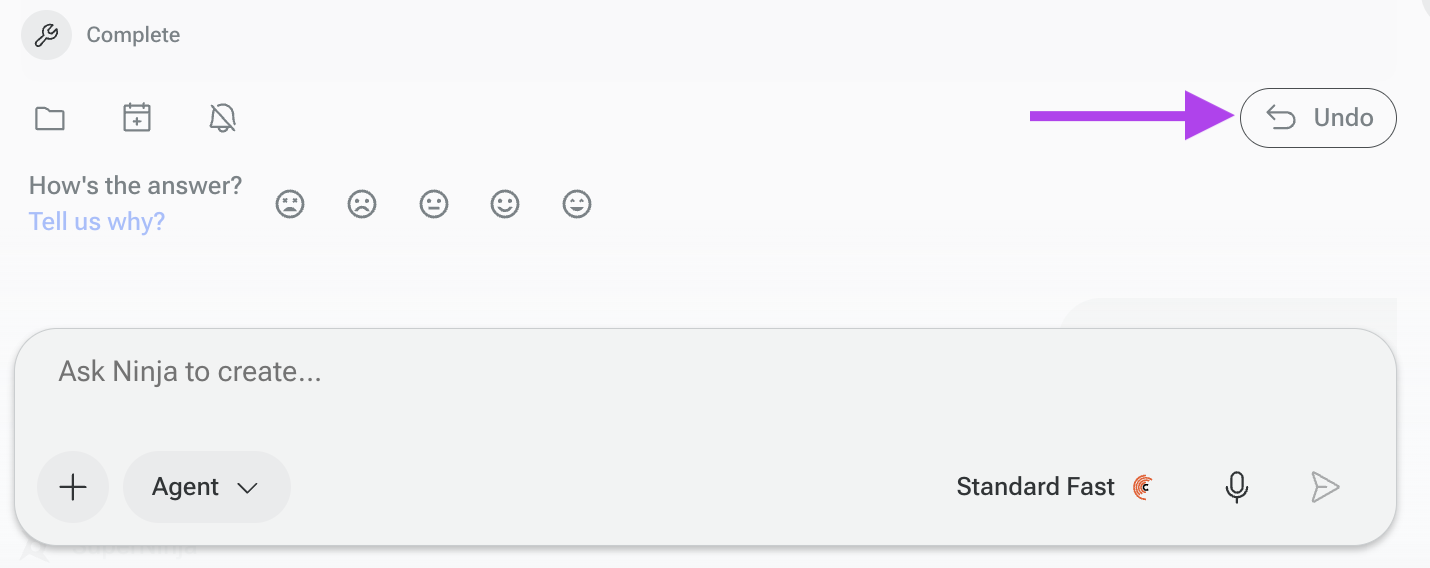
How to Find the Undo Button
You can locate the Undo button at the bottom of the previous task in your chat. Once rolled back, you can give a new prompt or ask SuperNinja to perform the task again.
What Happens When You Roll Back
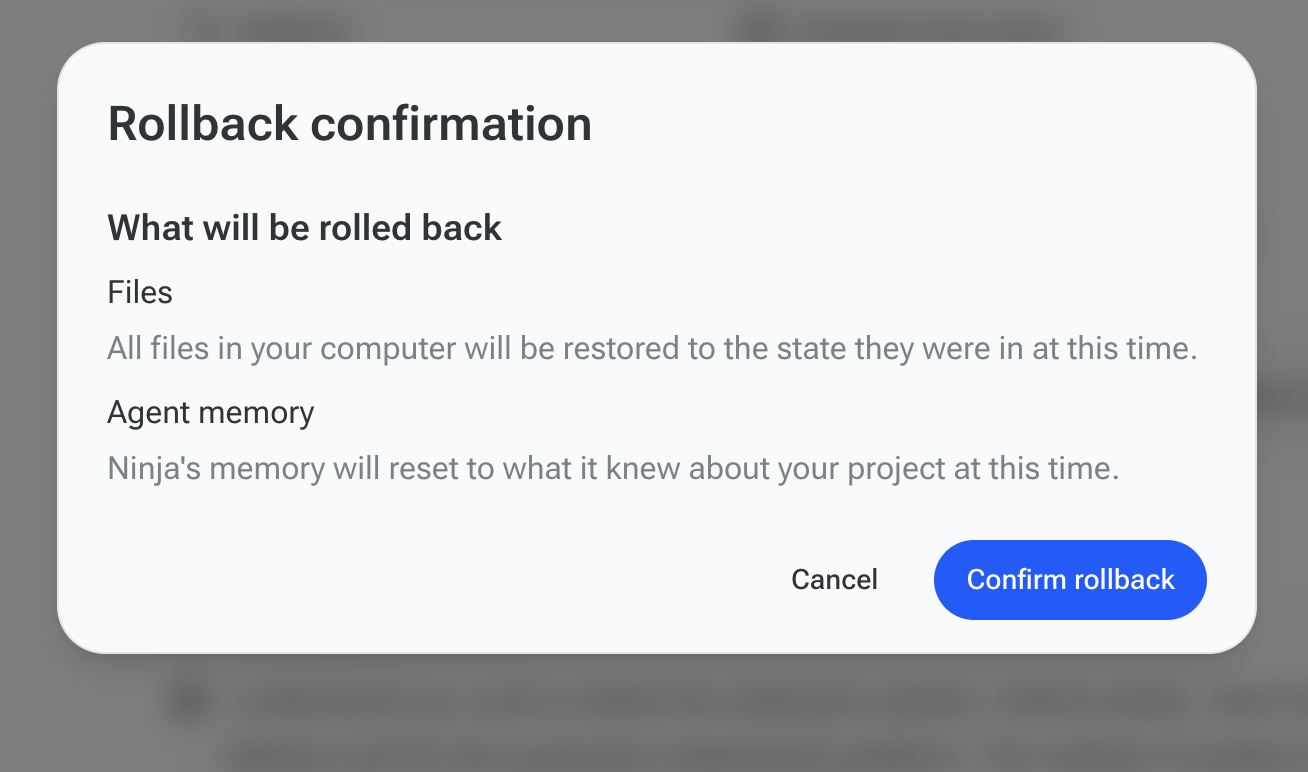
Files on your computer will be restored to the state they were in at that time.
Ninja’s memory will reset to what it knew about your project at that point.
The last prompt and actions will be removed, allowing you to retry or adjust your task.
The Undo feature is perfect for fixing mistakes, exploring new approaches, or simply revisiting an earlier version of your project without losing previous work.
If you have any questions, please contact us at support@ninjatech.ai or submit a request through this form. We’re here to help!