Adding Memory in SuperNinja
Last updated: June 15, 2026
In SuperNinja, you can add knowledge that persists across all conversations within a project. This allows for more consistent context, roles, and private history specific to each project.
Steps to Add Memory:
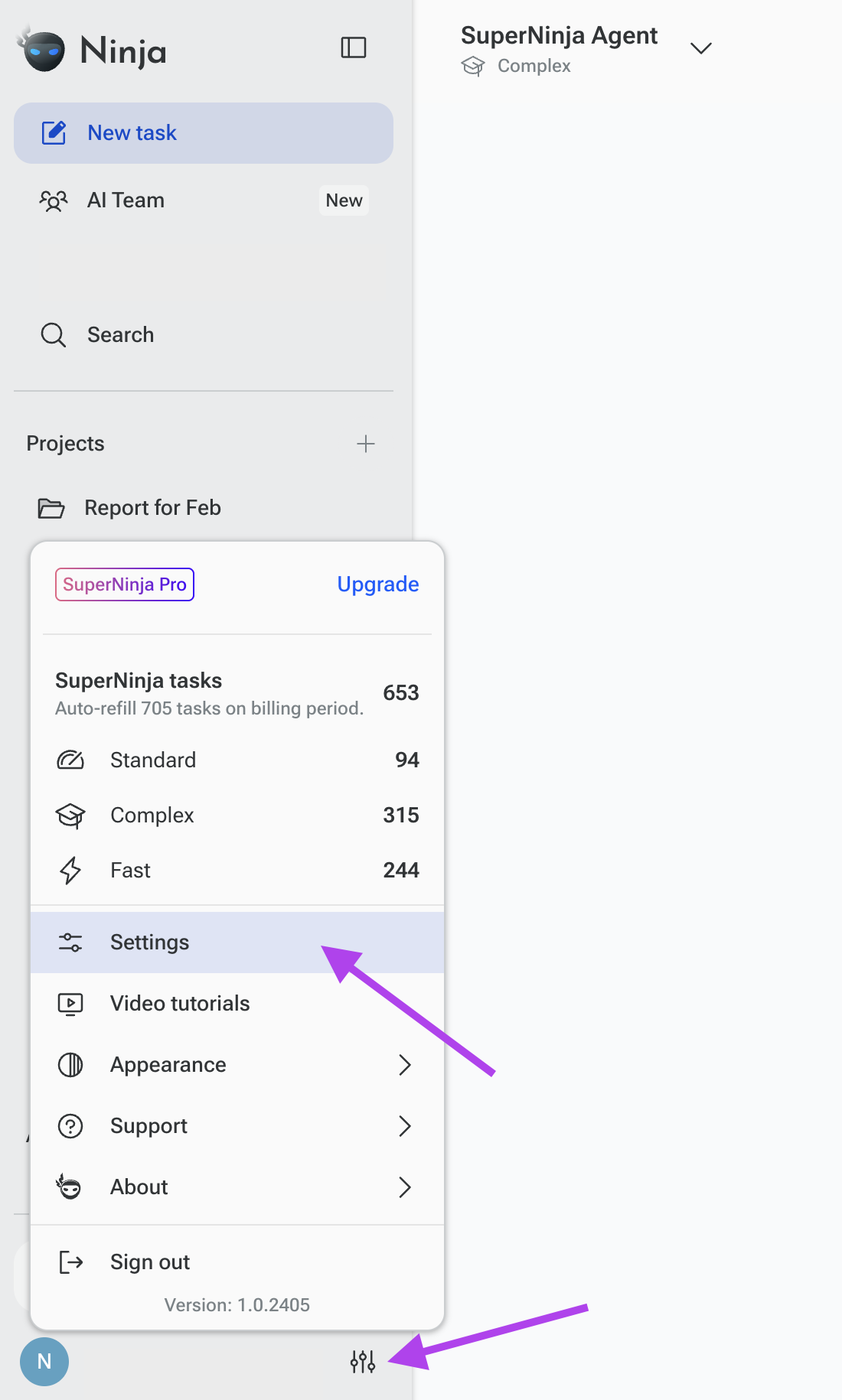
Go to the icon with your initials in the bottom-left corner and select Settings
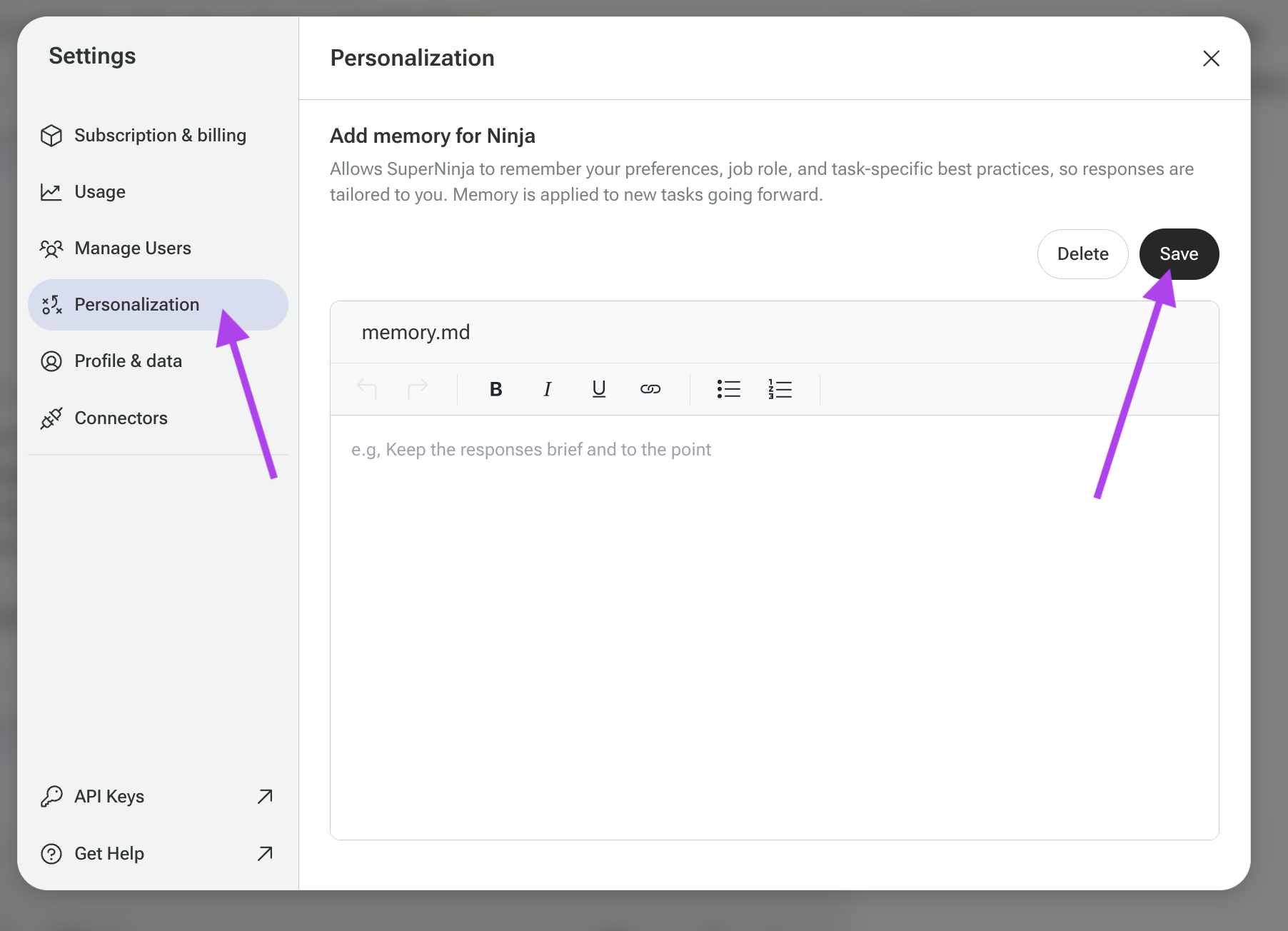
Then click on Personalize.
You’ll see a pop-up where you can add Knowledge.
You can also delete any memory whenever you want.
If you have any questions, please contact us at support@ninjatech.ai or submit a request through this form. We’re here to help!