How to Continue a Chat Using “Branch in New Thread”
Last updated: June 26, 2026
If you have a long conversation in SuperNinja and want to start fresh while keeping all your existing projects, you can use “Branch in new thread.”
This feature lets you continue your previous chat in a new thread. SuperNinja will:
Scrape the earlier conversation to understand the context
Maintain access to your workspace files from the original chat
Steps to branch a chat into a new thread:
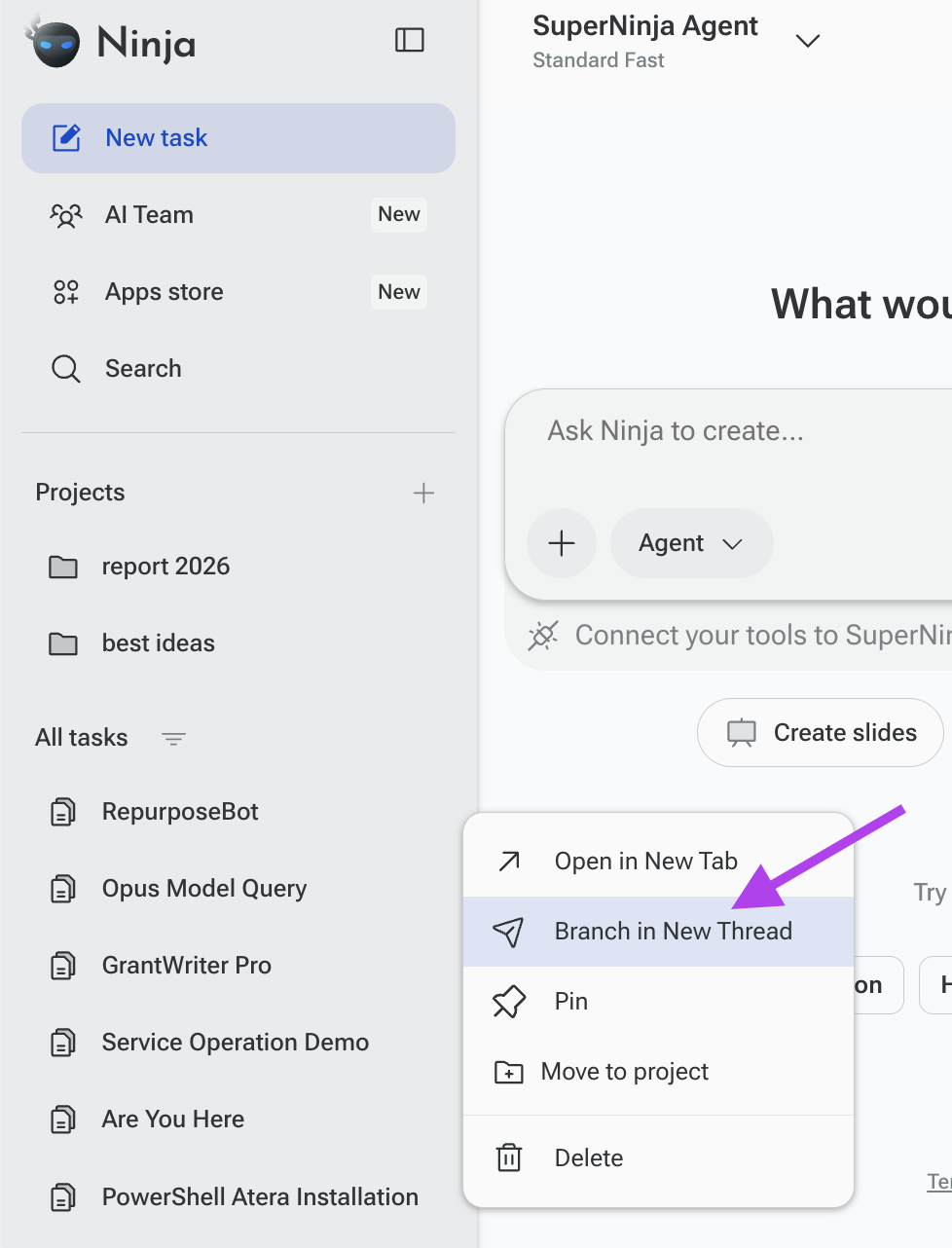
On the left-hand panel, find and click on the chat you want to continue.
Click the three horizontal dots (⋯) next to the chat title.
Select “Branch in new thread.”
Add a prompt describing what you want to do in the new thread.
Example:
Continue on https://super.myninja.ai/agents/bd95cc2a-16d6-4587-be2d-084d0ececb05. I would like to add a new page "Delivery" to my "Sell book" website.
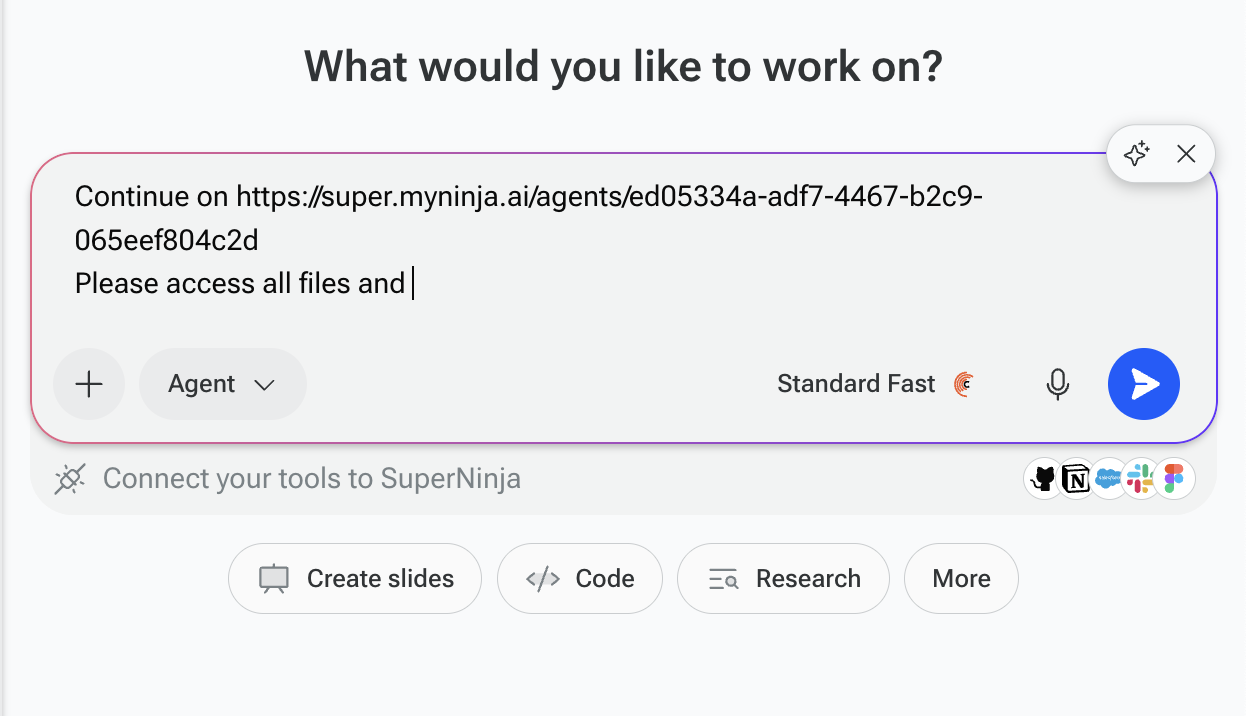
Your new thread will now carry over the context and project access from your previous chat, and SuperNinja will be ready to act on your instructions.
If you have any questions, please contact us at support@ninjatech.ai or submit a request through this form. We’re here to help!