How to Buy Additional Tasks On-Demand and Disable
Last updated: August 24, 2026
If you’ve used all tasks included in your subscription, you can continue working by enabling On-Demand purchases. On-Demand allows you to automatically buy additional SuperNinja tasks whenever you need them — without upgrading your plan.
How On-Demand Works
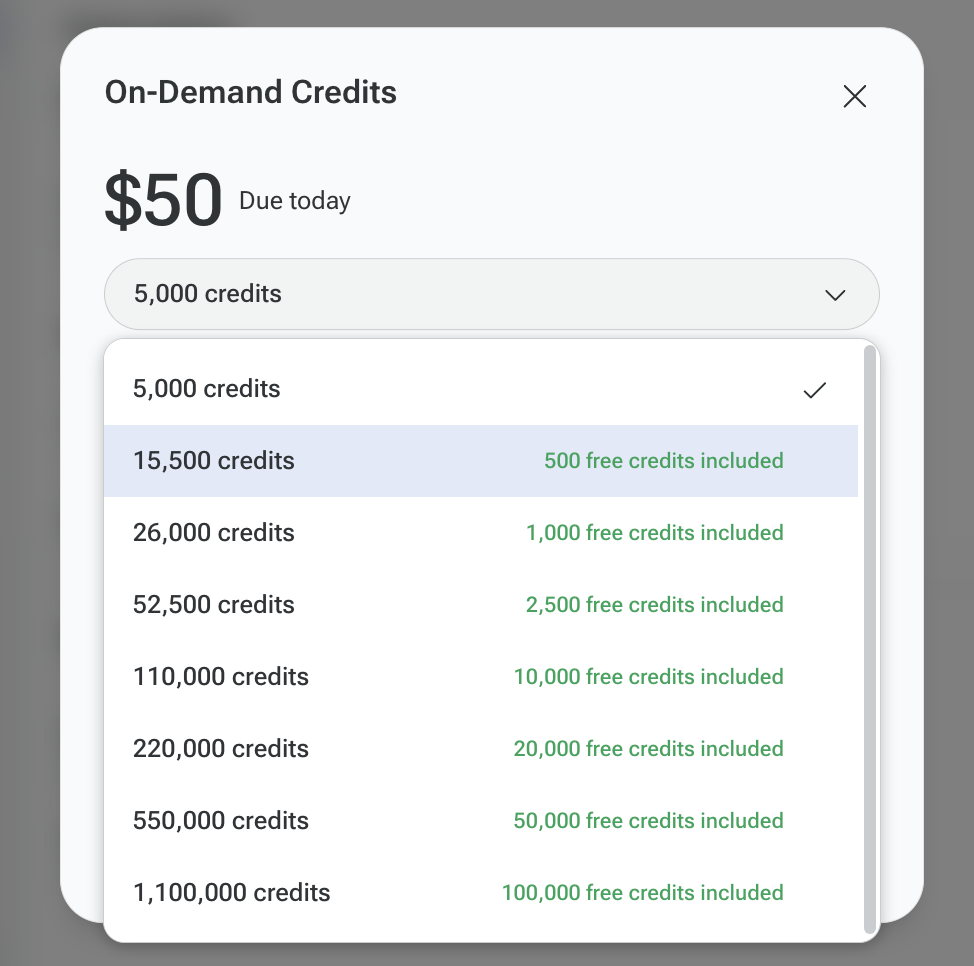
On-Demand is enabled (for example, you selected a credit amount of $50).
After a successful payment, the selected amount is added to your On-Demand balance, and 5000 credits become available.
If your credit balance drops below $25, the system will automatically recharge the selected amount (e.g., another $50).
The recharge amount depends on the option you selected when enabling On-Demand.
How to Enable On-Demand
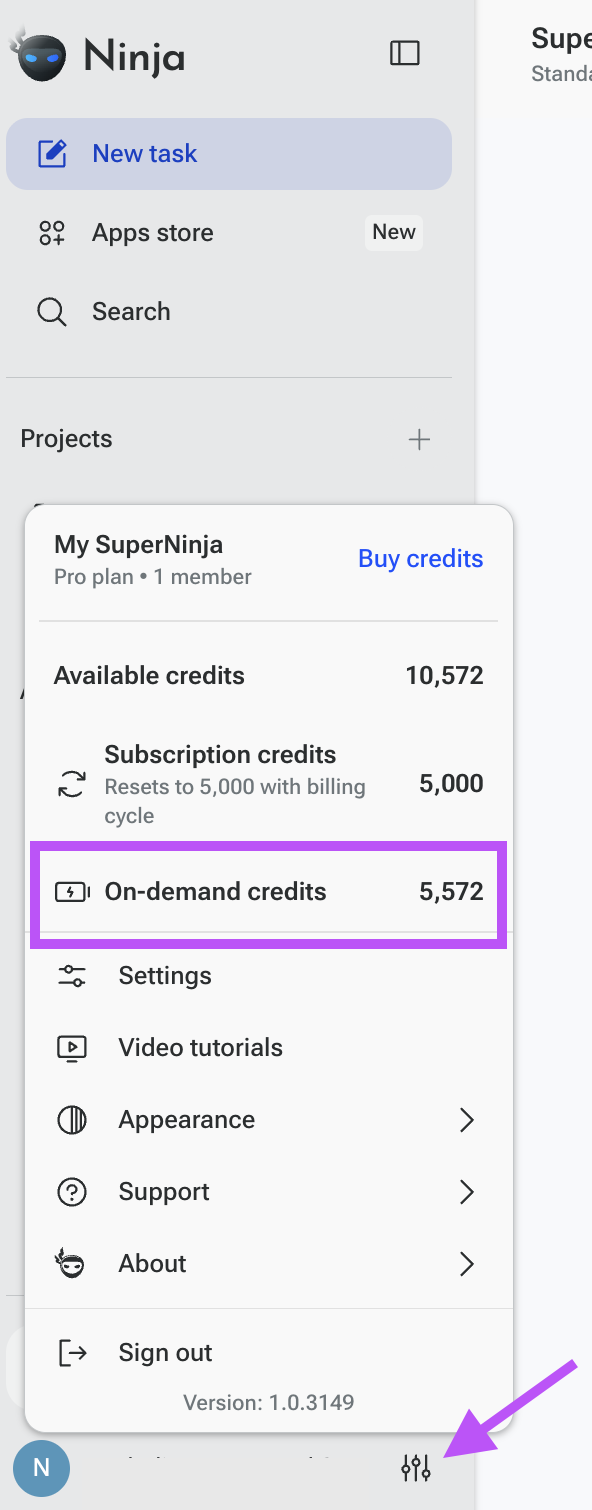
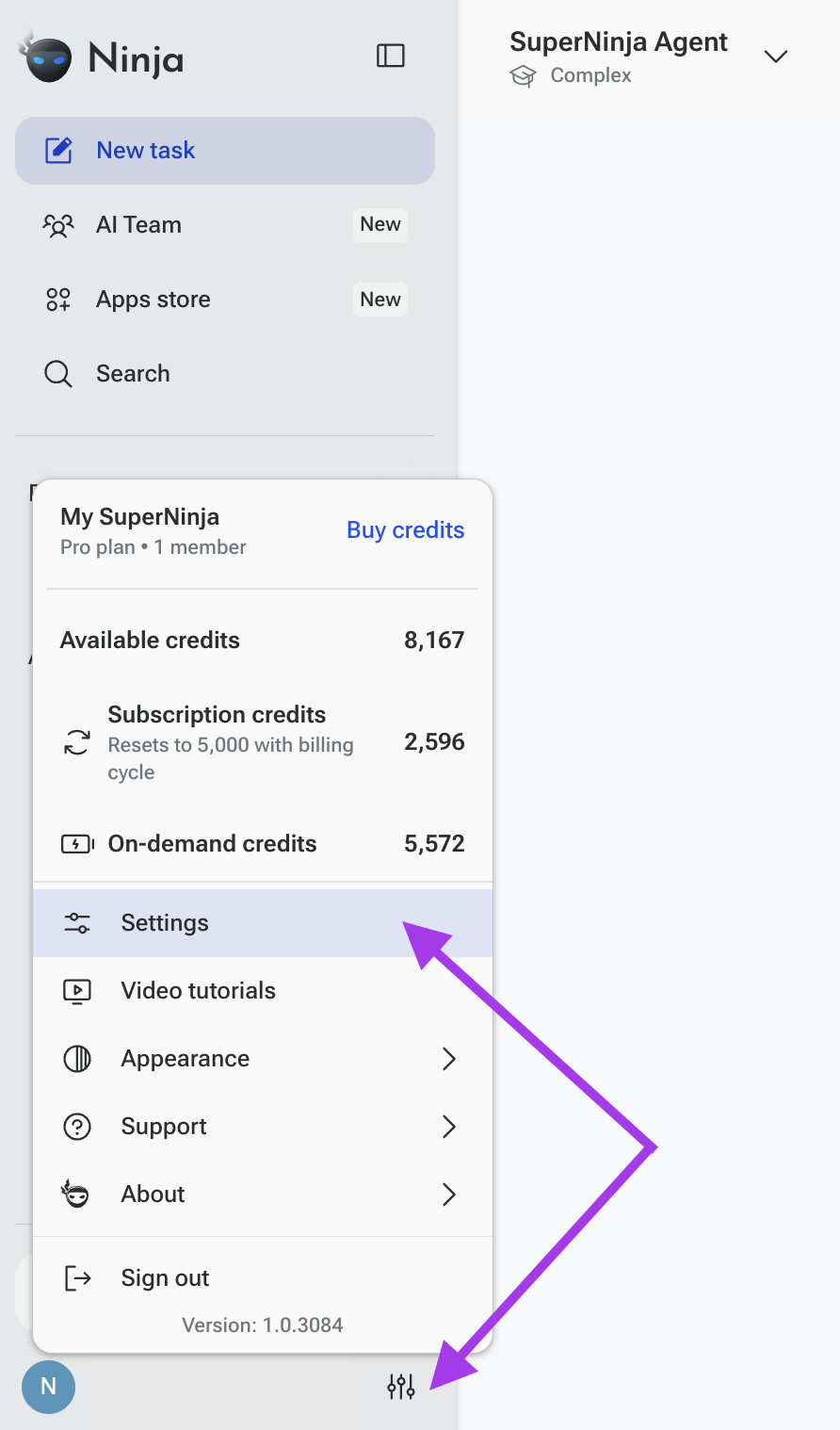
Go to Settings
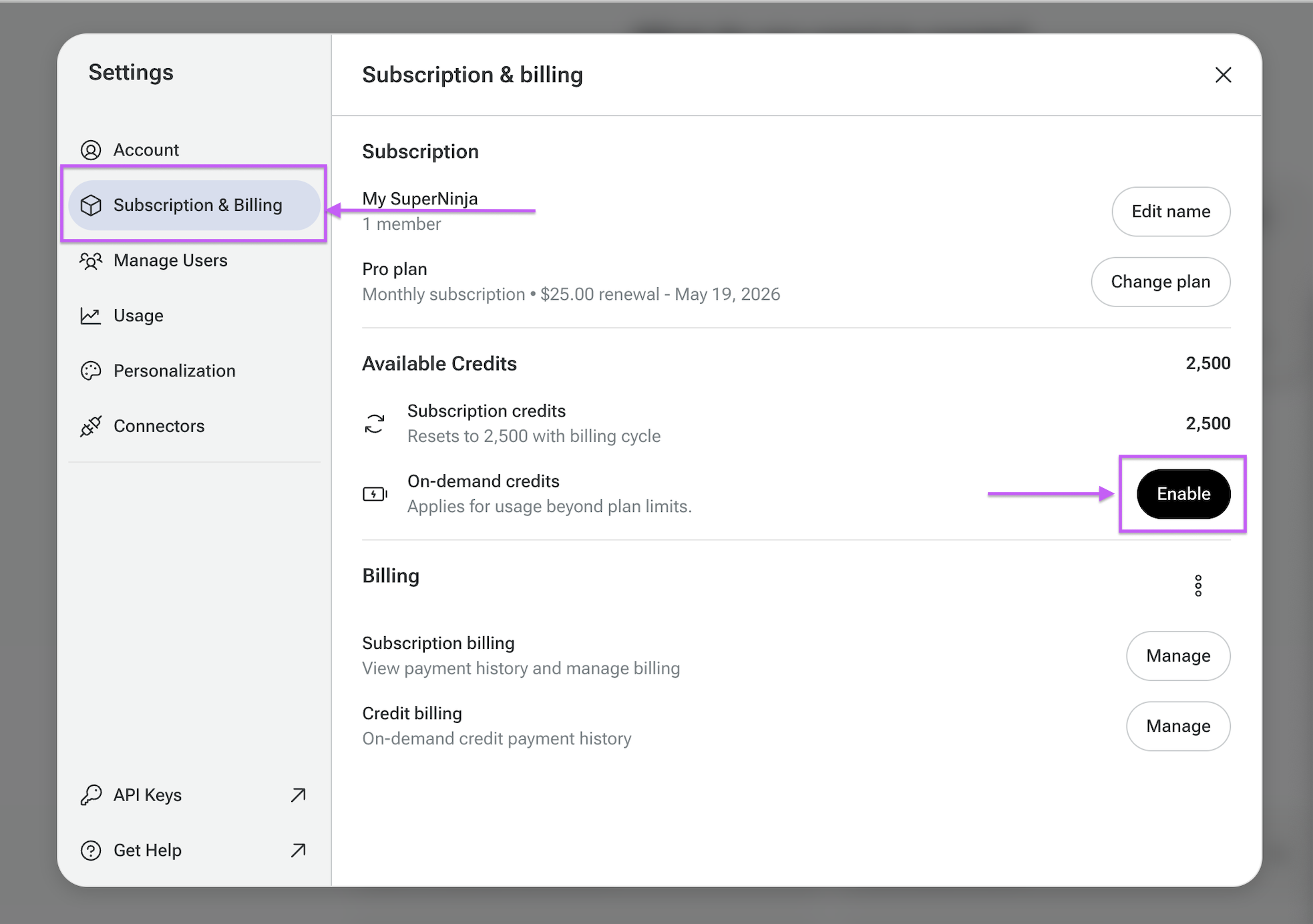
Open Subscription & Settings tab
Find the On-Demand section
Click Enable
Select your preferred credit amount
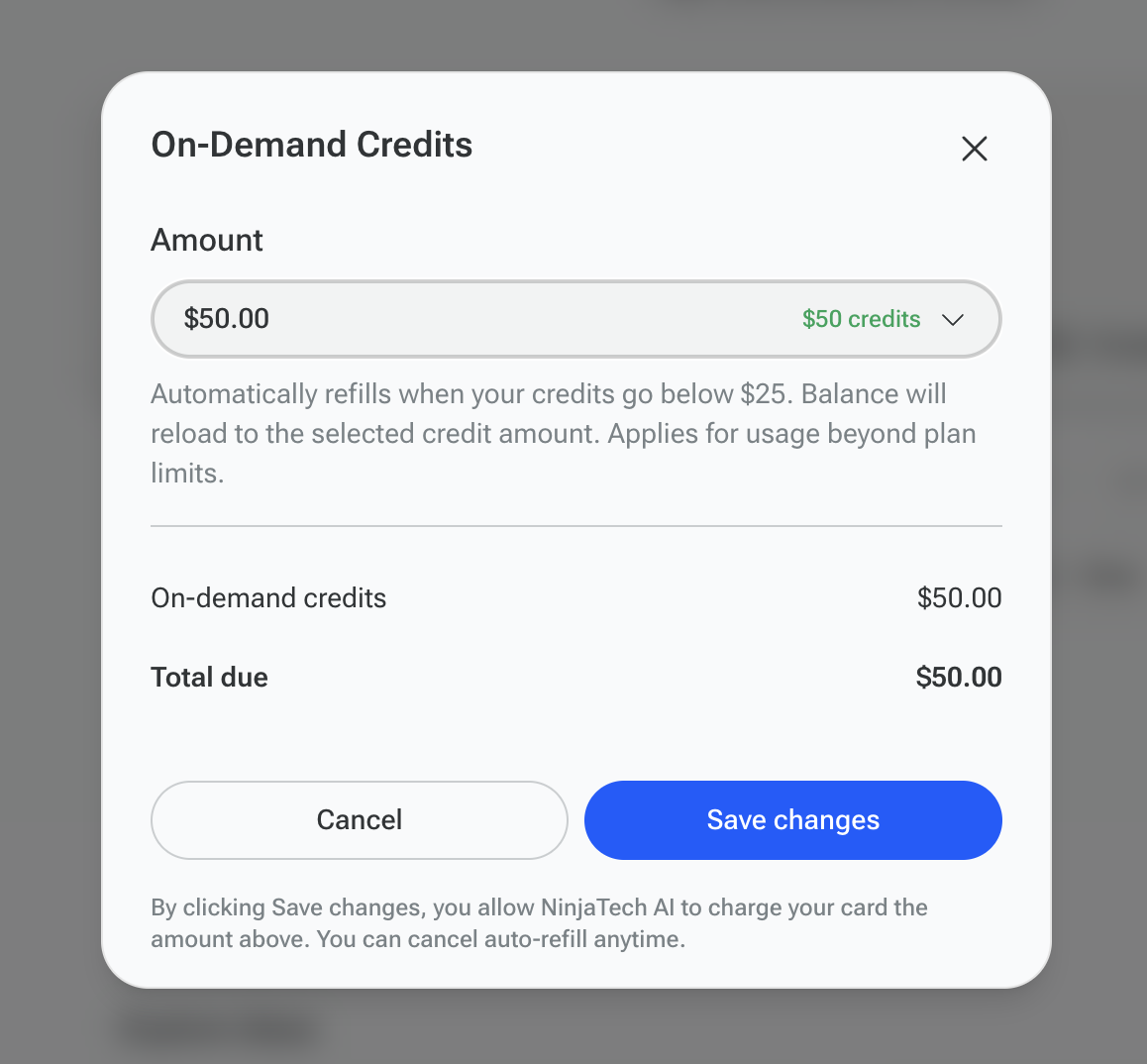
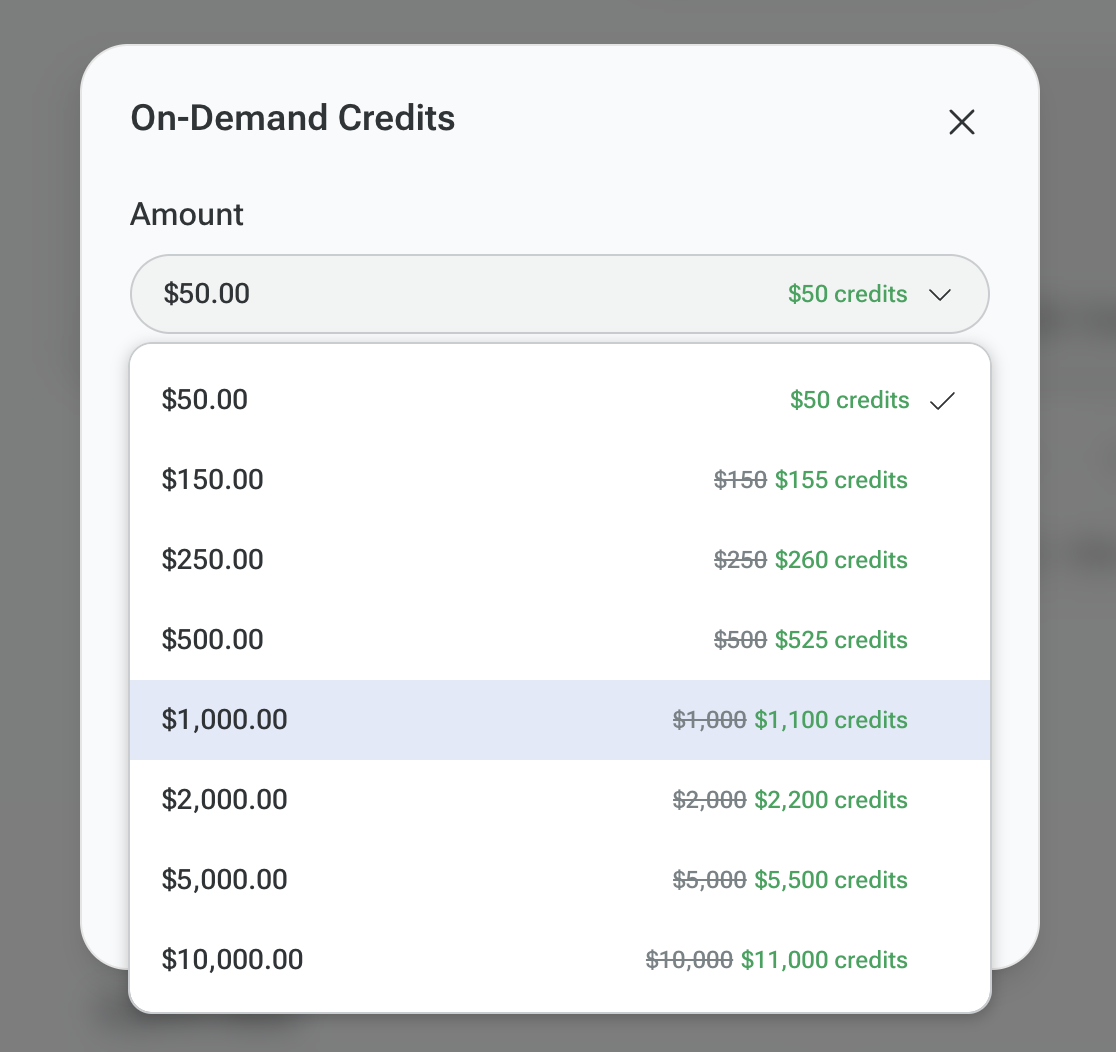
After your payment is successfully processed and On-Demand is enabled, any additional tasks will be automatically deducted from your On-Demand balance.
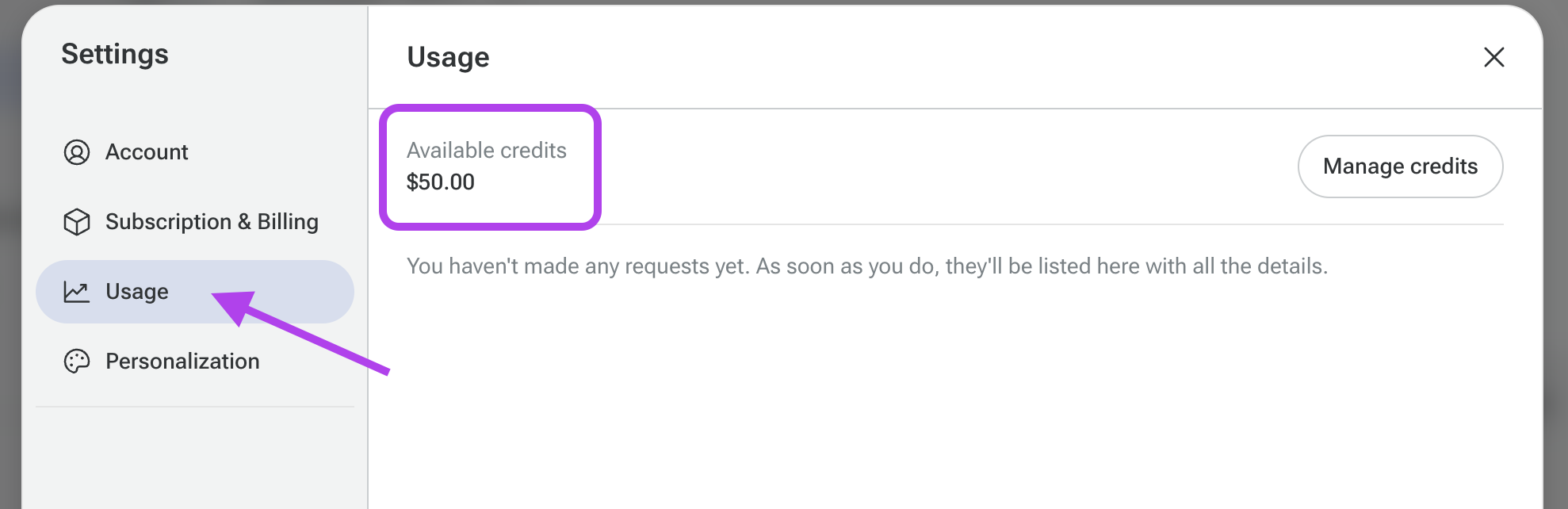
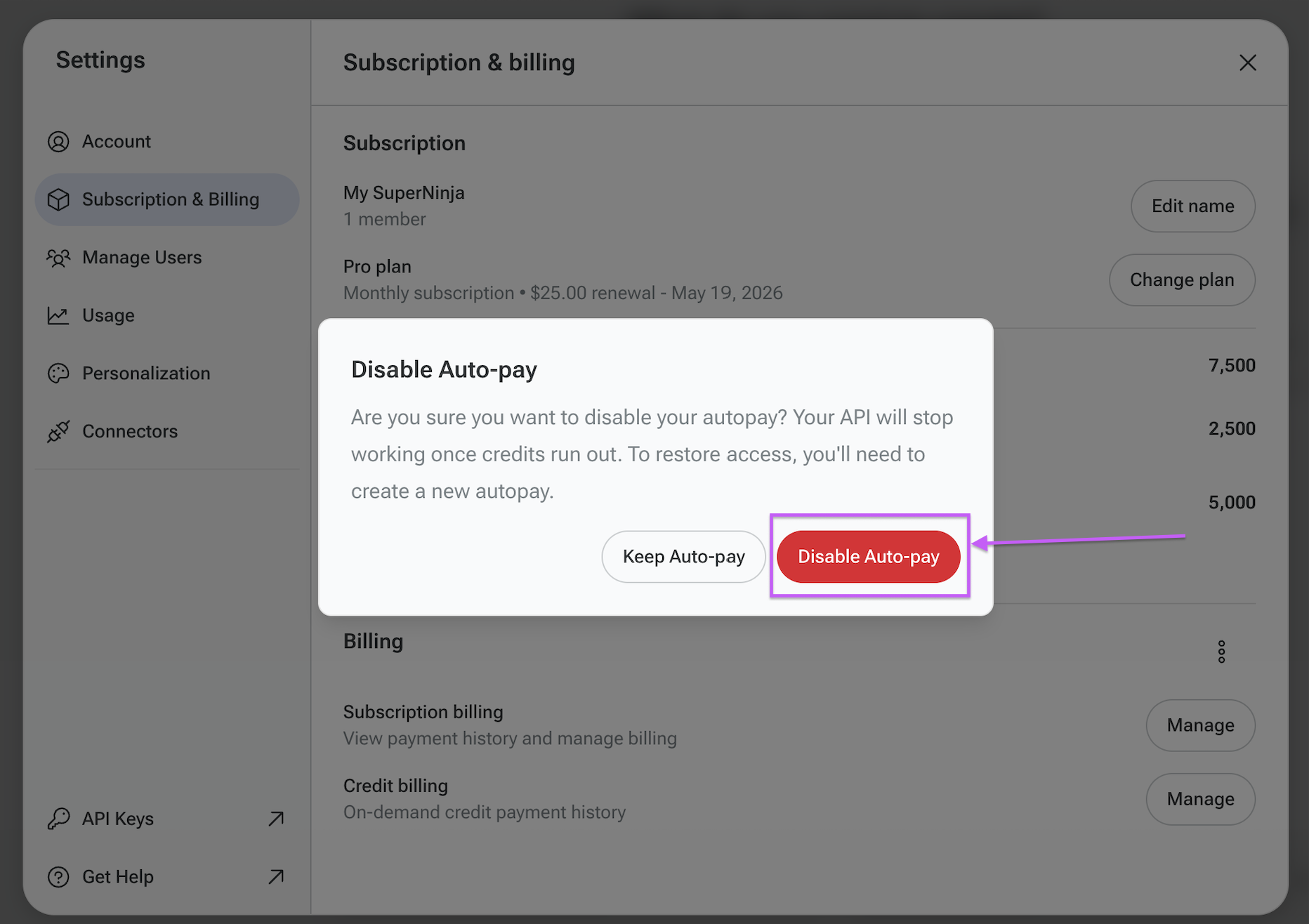
How to Disable On-Demand
You can turn off On-Demand anytime:
Go to Settings
Open Subscription & Settings tab
Find the On-Demand section
Click Disable
No further automatic recharges will occur after it is disabled.
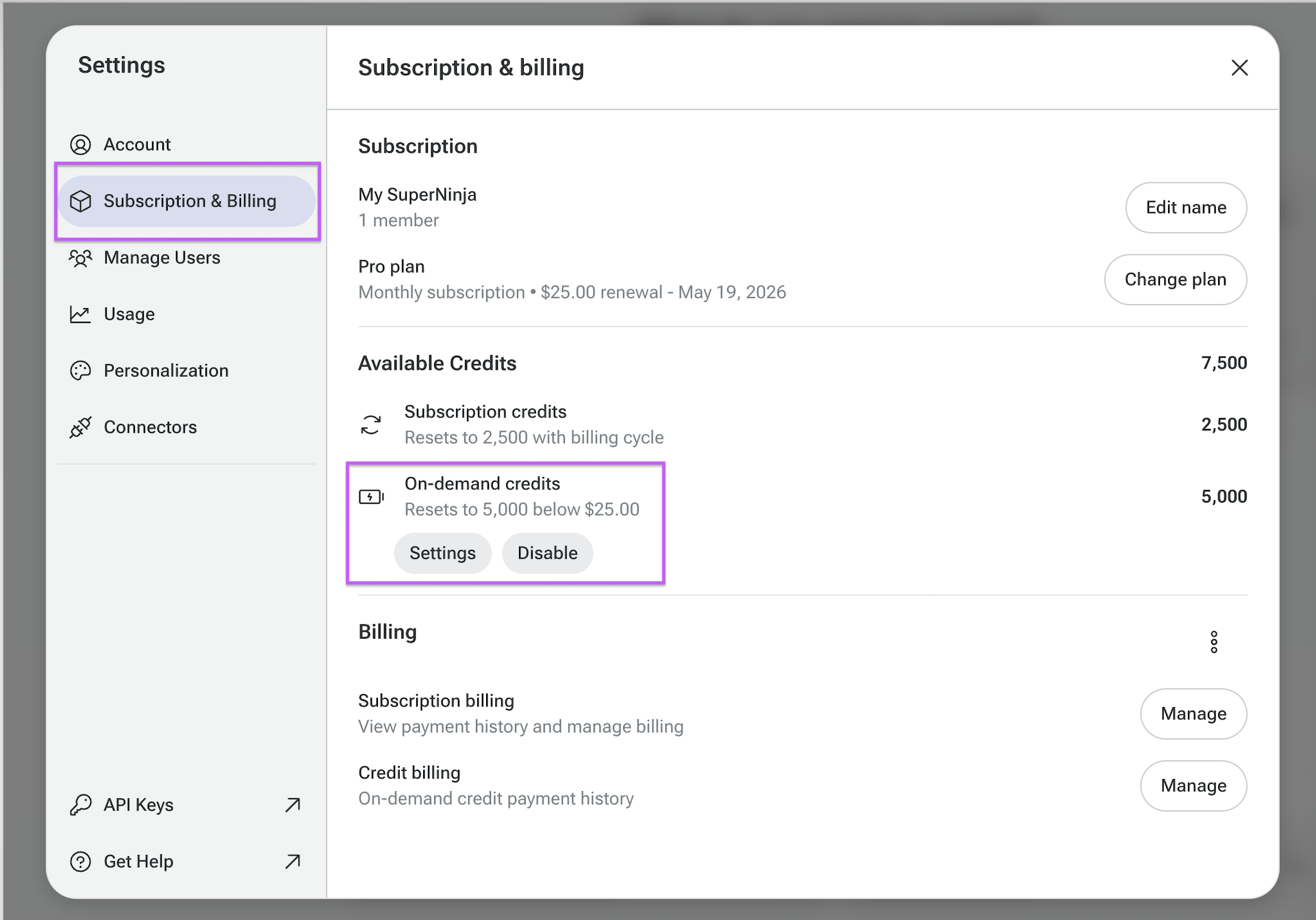
How to Review Your Usage
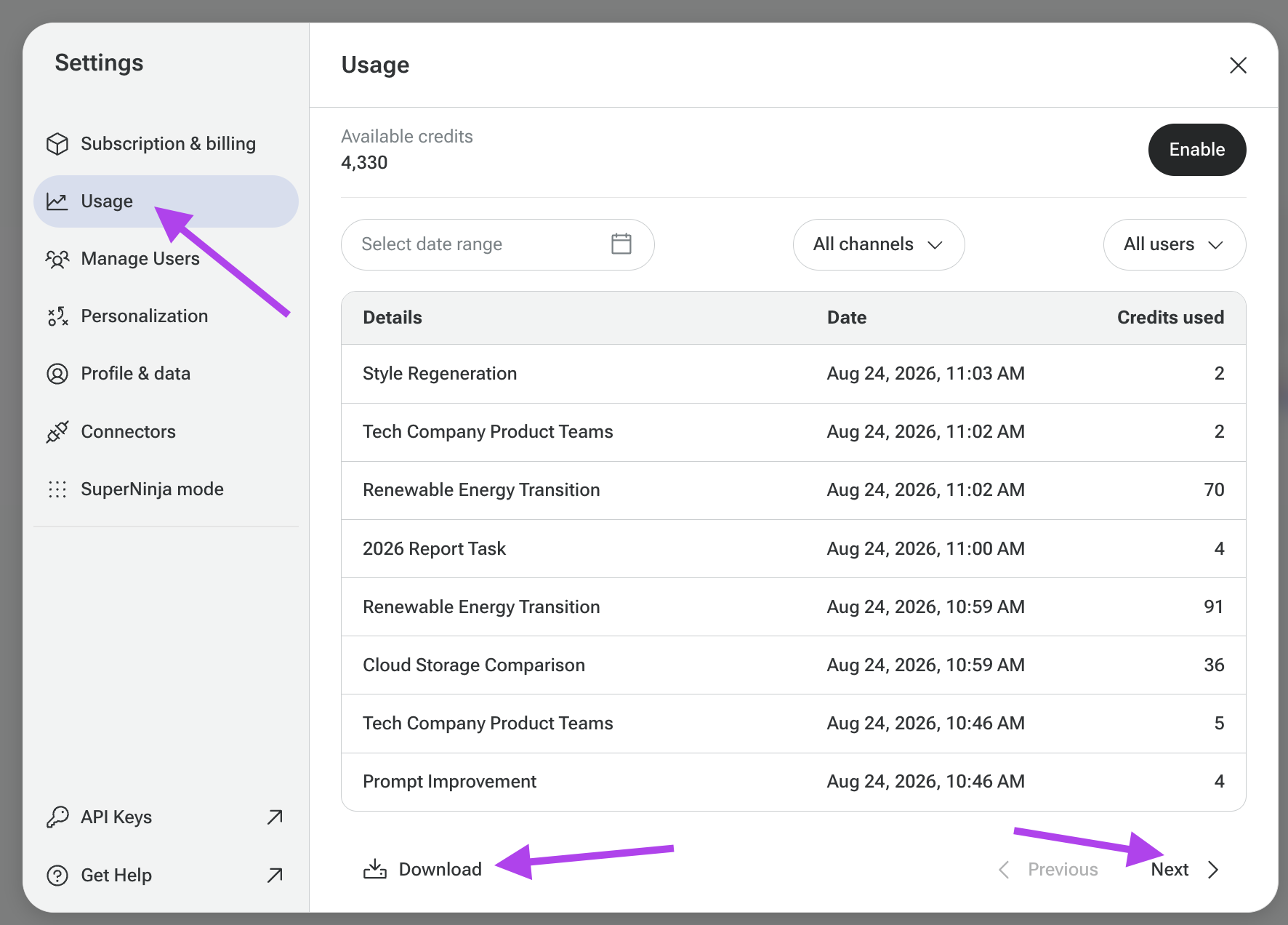
You can monitor:
Cost per task
Total usage
Available credit balance
Go to:
Settings → Usage
This section shows detailed information about your task spending and remaining balance.
Need Help?
If you have any questions, please contact us at support@ninjatech.ai or submit a request through this form. We’re here to help!