Setting Up the APIs
Last updated: March 10, 2026
We’re making our AI agents and foundational models more accessible with the release of our APIs. Whether you're developing apps, automating workflows, or building chatbots, it’s now possible to join us in building with unmatched speed, scalability, and reliability.
Registration
Become a Ninja member to start using our APIs.
You can sign up for free or subscribe to a Standard, Pro, Ultra, Max or Business tier.
When you’re ready to move from exploration to execution, purchase credits to start building AI products and experiences for coding, writing, and much more.
Purchase Credits and Generating an API Key
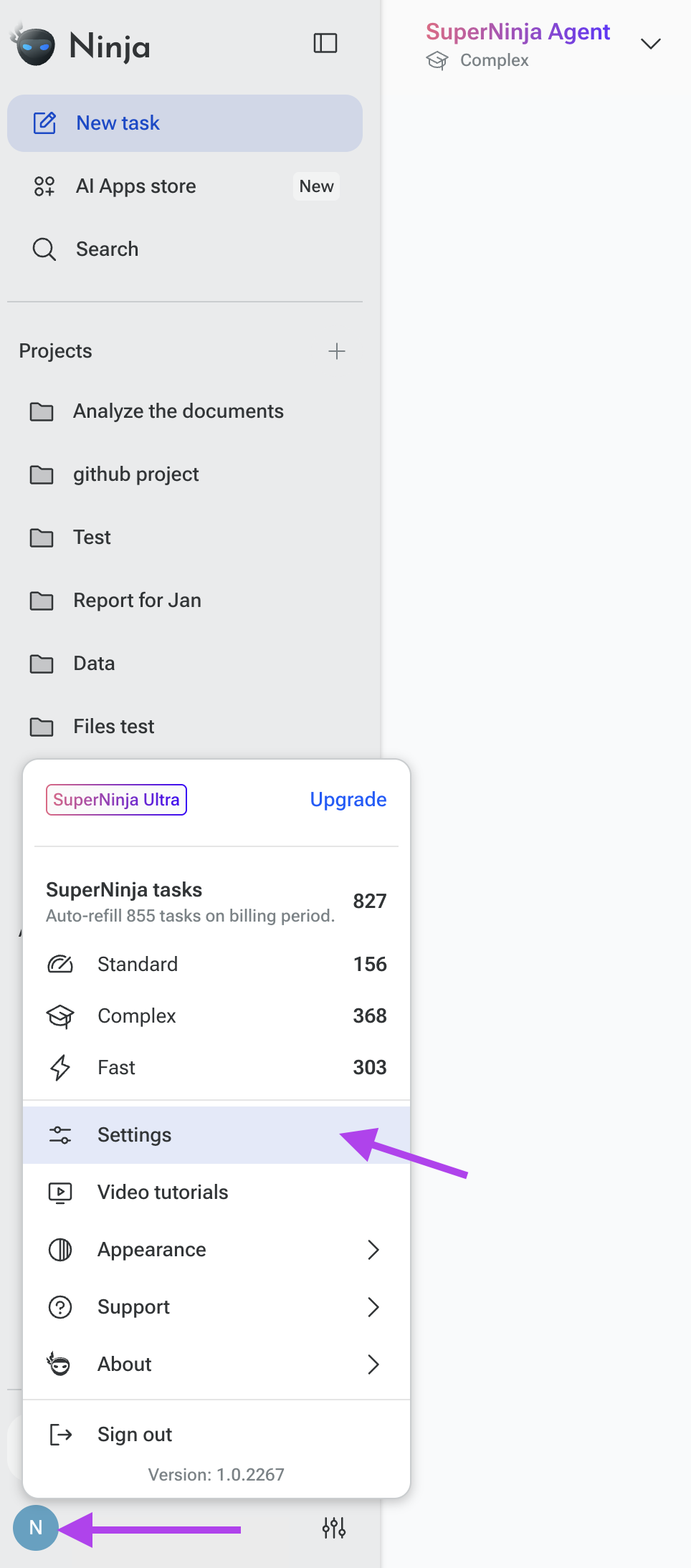
After setting up your subscription, go to the bottom of the left panel and click your profile icon.
Select “Settings” from the menu.
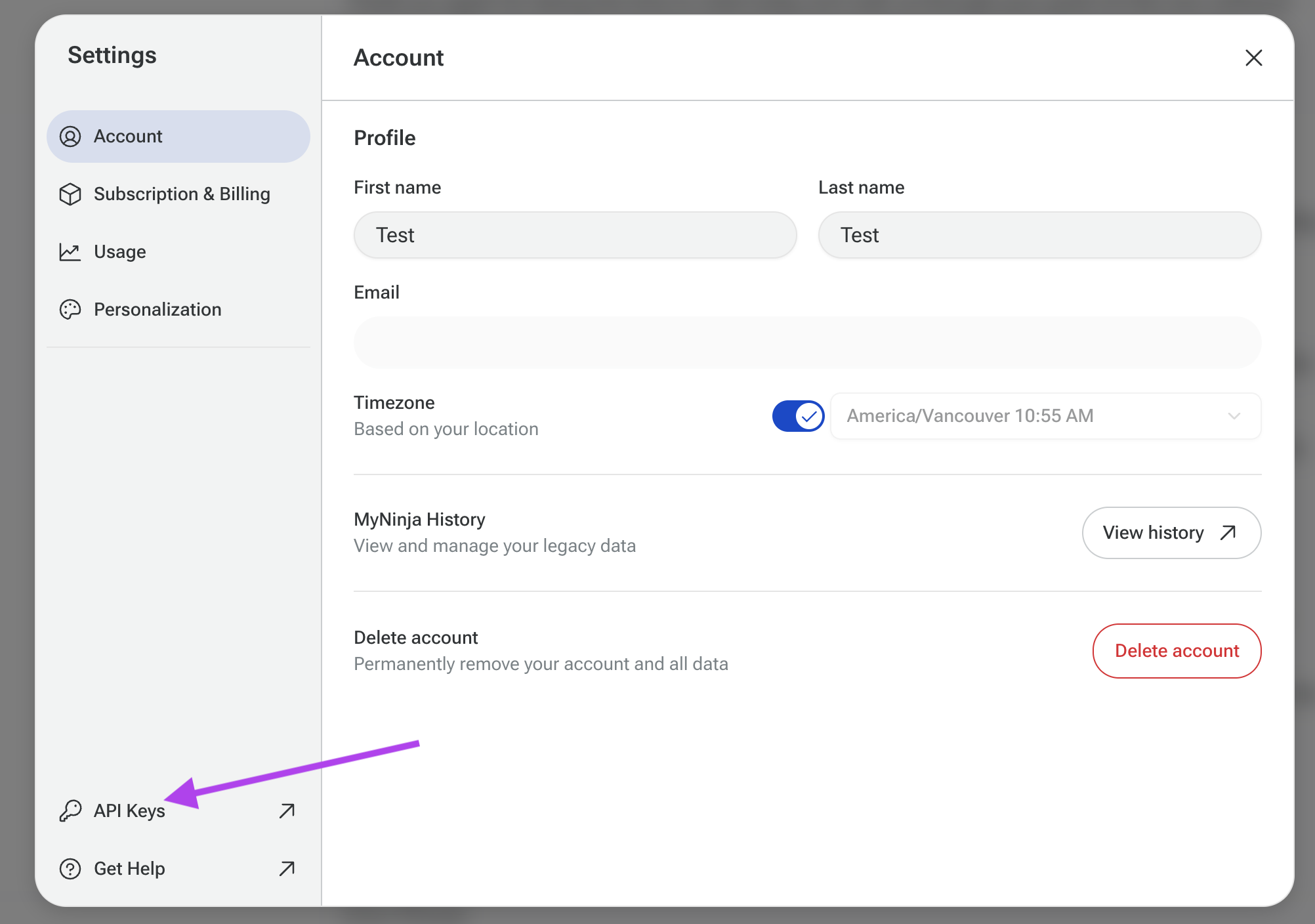
Click on "API Keys" at the bottom of the Settings sidebar
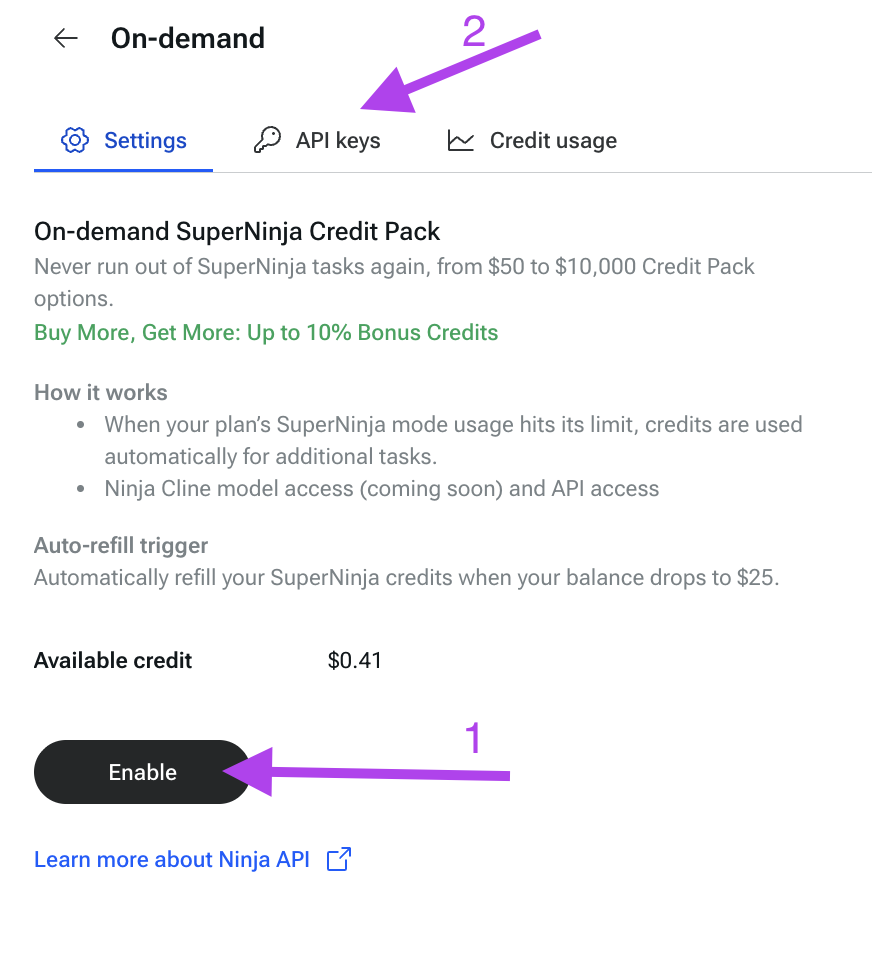
Then click “Enable” to purchase credits. In the Pack field on the right side, choose the amount and confirm the payment. You will then be redirected to a Stripe billing screen to complete your payment.
Generating an API Key
To create an API key, click on “API keys”.
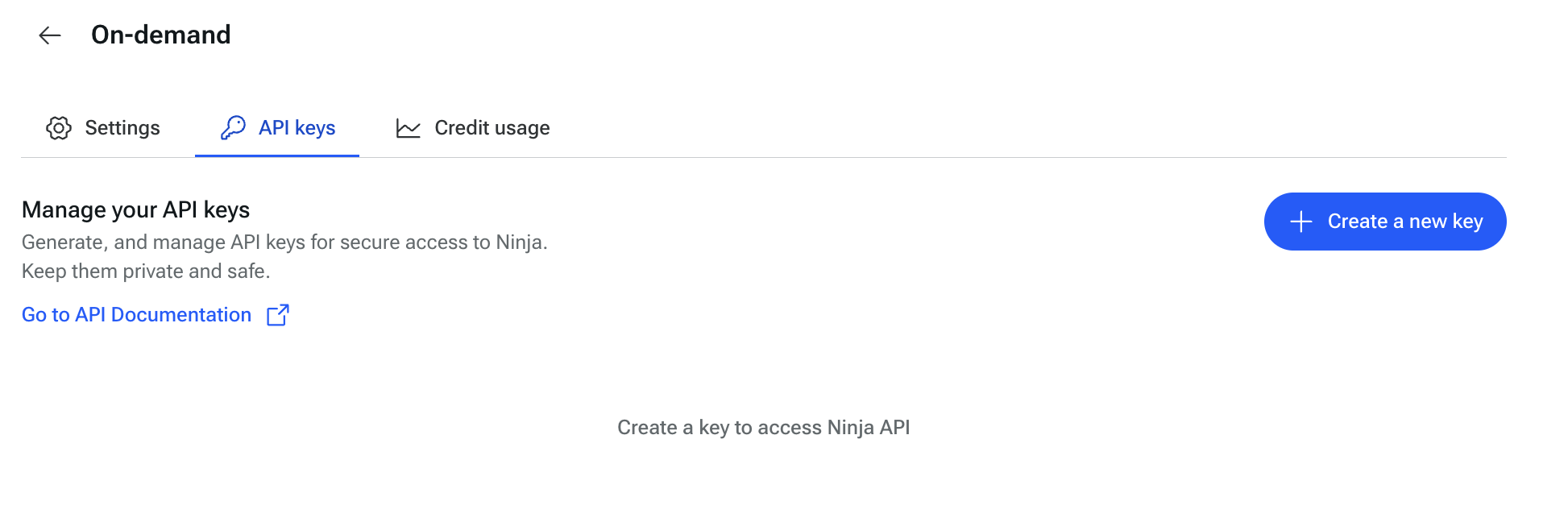
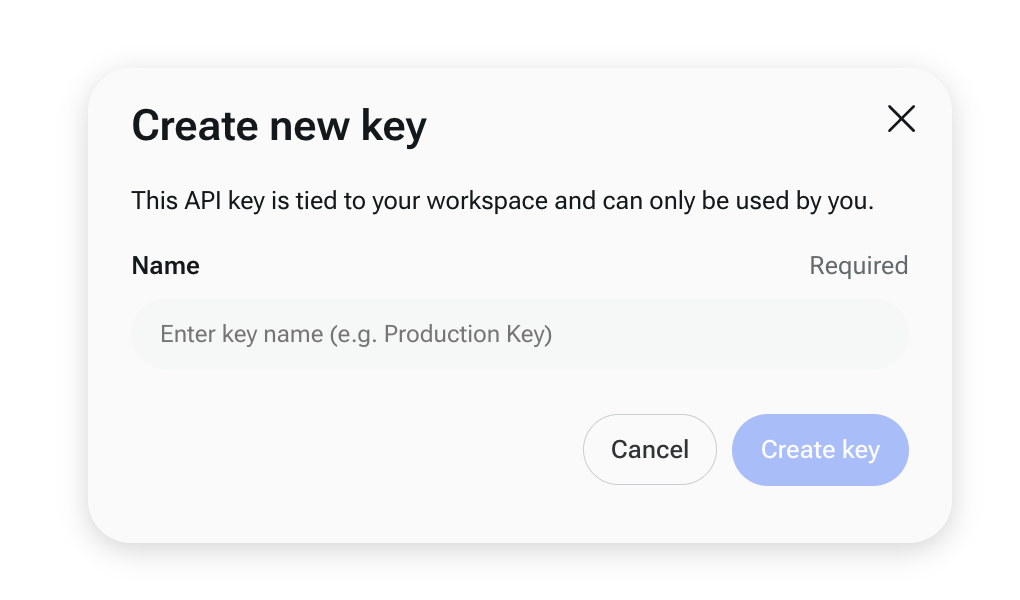
In the API Keys section, click the “Create a new key” button.
In the “Name” field, enter a name for your key (e.g., Production Key) and then click “Create Key”.
Once your key is generated, copy it and save it somewhere secure, as anyone with access can use it. If needed, you can regenerate a new key.
You can have multiple keys, and you can also monitor their usage in the Credit Usage section.
Using Ninja APIs
Overview
Base URL:
Authentication:
All requests require an API key passed in the header as follows where <token-key> is your auth token:
Authorization: Bearer <token-key>
Endpoint:
POST /chat/completions
This endpoint accepts chat requests and streams responses based on the specified model.
Models:
Currently available models include:
ninja-deep-research
ninja-super-agent:turbo
ninja-super-agent:apex
Ninja-super-agent:reasoning
These models can be selected by providing the model parameter in your request body.
Request Format
The Ninja API follows the OpenAI API spec closely. The request JSON object contains:
model (string):
The model identifier to use (e.g., "ninja-deep-research").
messages (array):
An array of message objects. Each object follows the format:
{ "role": "user", "content": "Your query here." }
stream (boolean):
When set to true, the API responds with a streaming response.
stream_options (object):
Additional options for streaming, such as "include_usage": true to include token usage details.
extra_headers (object):
Any extra headers required by the Ninja API (none at this point)
Request Example (json)
{
  "model": "ninja-super-agent:turbo",
  "messages": [
    {
      "role": "user",
      "content": "What is the significance of birefringence in materials science? Can you provide a detailed explanation including its applications and how it is measured?"
    }
  ],
  "stream": true,
  "stream_options": {
    "include_usage": true
  }
}
Response
The API returns a stream of ChatCompletionChunk objects. Each chunk may contain:
Content:
The text of the completion, which may include XML-wrapped reasoning steps.
Citations:
A list of URLs that support the reasoning provided.
Usage Information:
Token usage statistics if "include_usage": true was specified.
The client code can process these chunks to display a rich response that includes:
Reasoning Steps: Extracted and formatted from XML segments.
Citations: Displayed as a numbered list.
Usage Stats: Showing input and output tokens.
Pricing
Model | Input price / per million tokens | Output price / per million tokens |
SuperAgent Turbo | $0.11 | $0.42 |
SuperAgent Apex | $0.88 | $7.00 |
SuperAgent-R 2.0 | $0.38 | $1.53 |
Deep Research | $1.40 | $5.60 |
Rate Limits
Ninja AI enforces rate limits on inference requests per model to ensure that developers are able to try the fastest inference.
Model | Request per minute (RPM) |
SuperAgent Turbo | 50 |
SuperAgent Apex | 20 |
SuperAgent Apex | 30 |
Deep Research | 5 |
FAQ
How can I cancel my auto-pay agreement?
To cancel your auto-pay agreement, go to the On-Demand section, click More options, and select Cancel auto-pay for credits and confirm. You can enable it again at any time and choose the Pack option that suits you.
How can I view the usage of each API?
To view the usage of each API, go to the On-Demand section and click Credit Usage. There, you can review usage details for each API.
If you have any questions, please contact us at support@ninjatech.ai or submit a request through this form. We’re here to help!