How to Edit Documents in SuperNinja
Last updated: March 10, 2026
SuperNinja isn’t just an AI assistant — it’s also a full-featured document editing workspace. You can create, edit, and refine different types of files directly within SuperNinja, making your workflow faster and more seamless.
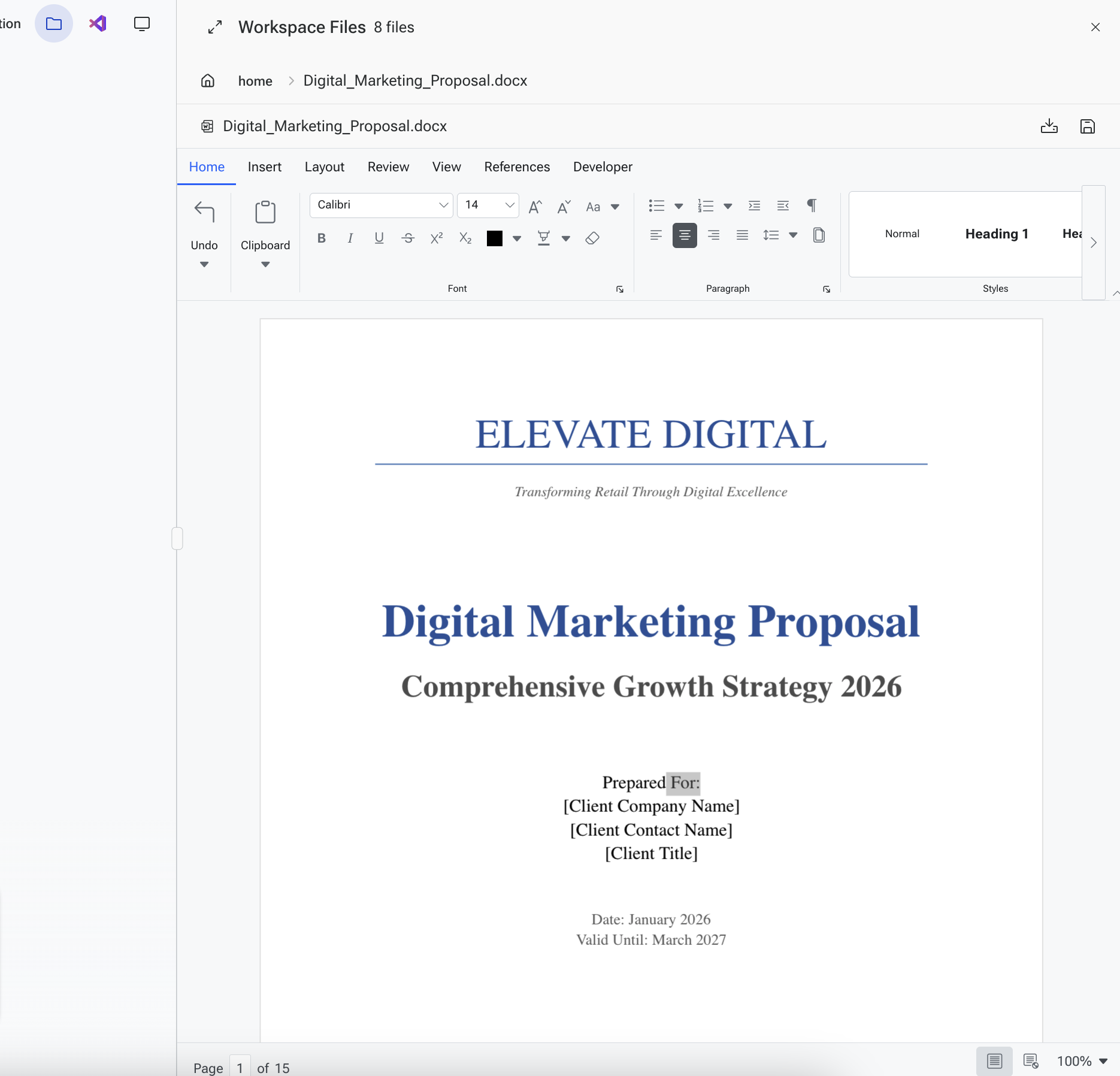
Word Document Editor
Ask SuperNinja to create Word documents (.docx) for you, then manually edit and refine them if needed.
How to edit a Word document:
Open the Workspace by clicking the folder icon in the top-right corner.
Double-click on the document you want to edit.
Once open, you can:
Format text, add images, and build tables
Keep everything integrated within SuperNinja
Save to your device or export as a PDF
Excel Spreadsheet Editor
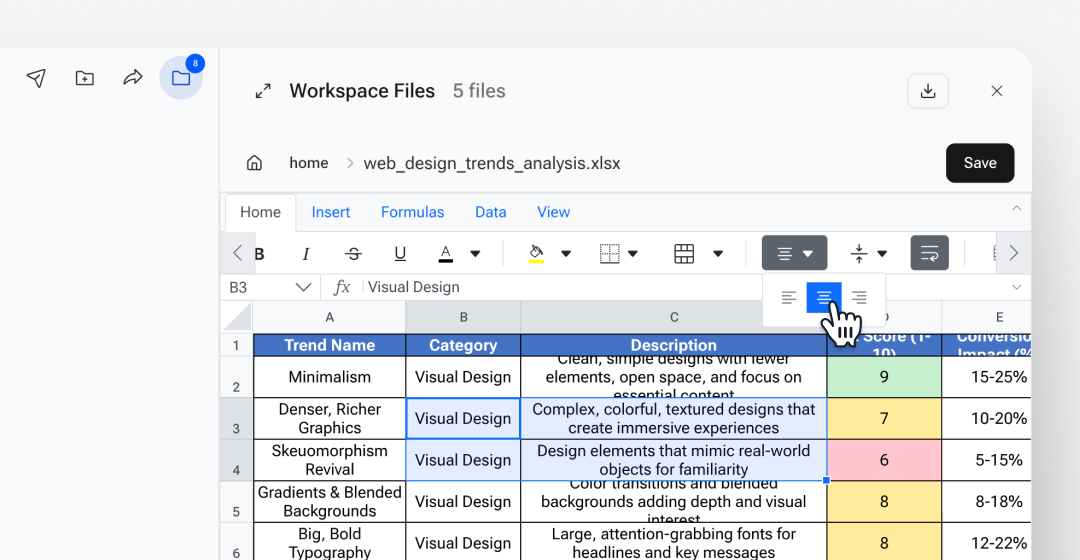
SuperNinja can analyze data and create Excel spreadsheets for you. You can then edit data manually, add formulas, and build charts — all without leaving your workspace.
How to edit an Excel spreadsheet:
Open the Workspace by clicking the folder icon in the top-right corner.
Double-click on the spreadsheet you want to edit.
Once open, you can:
Edit cells and data
Add formulas, functions, and charts
Keep everything integrated within SuperNinja
Save to your device or export as a PDF
Markdown Editor
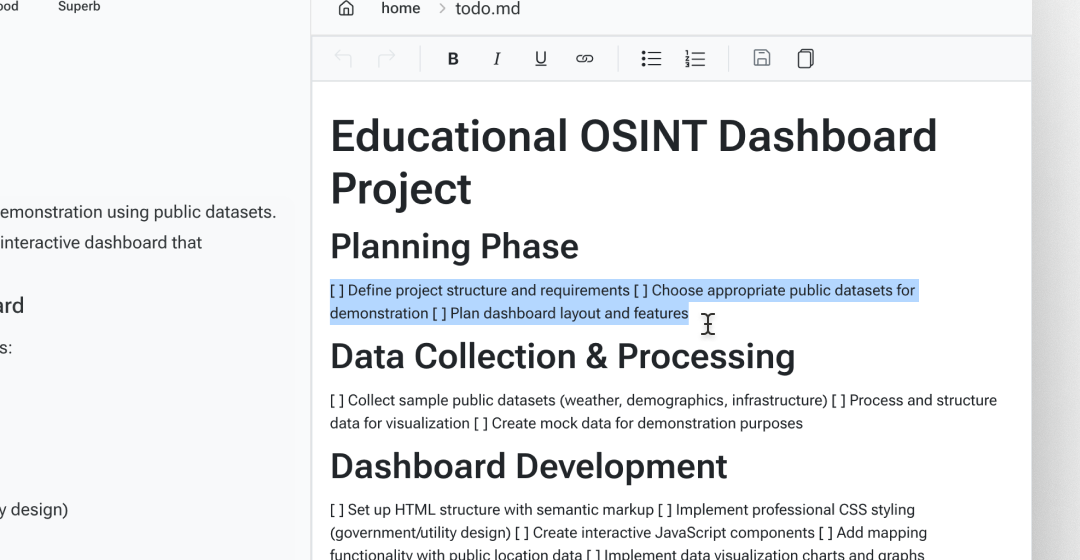
SuperNinja can create Markdown files for documentation, notes, and technical writing. You can edit them with a live preview.
How to edit a Markdown file:
Open the Workspace by clicking the folder icon in the top-right corner.
Double-click on the Markdown file you want to edit.
Once open, you can:
Edit text and formatting using Markdown syntax
See a live preview of your changes
Keep everything integrated within SuperNinja
Save to your device or export as a PDF
PDF Viewer
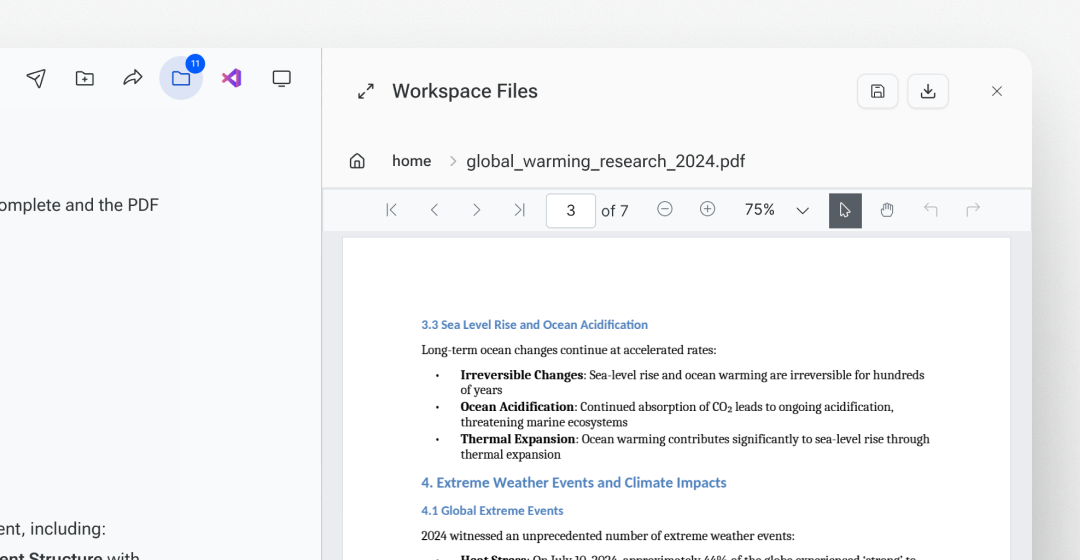
SuperNinja lets you read and interact with PDF files without leaving your workspace.
How to view a PDF:
Open the Workspace by clicking the folder icon in the top-right corner.
Double-click on the PDF you want to view.
Once open, you can:
Navigate and scroll through pages
Highlight, annotate, or review content
Keep everything integrated within SuperNinja
With SuperNinja, all your document creation, editing, and review happens in one convenient workspace, simplifying your workflow and keeping everything connected.
If you have any questions, please contact us at support@ninjatech.ai or submit a request through this form. We’re here to help!