Standard, Pro, Expert and Max Modes in SuperNinja
Last updated: September 9, 2026
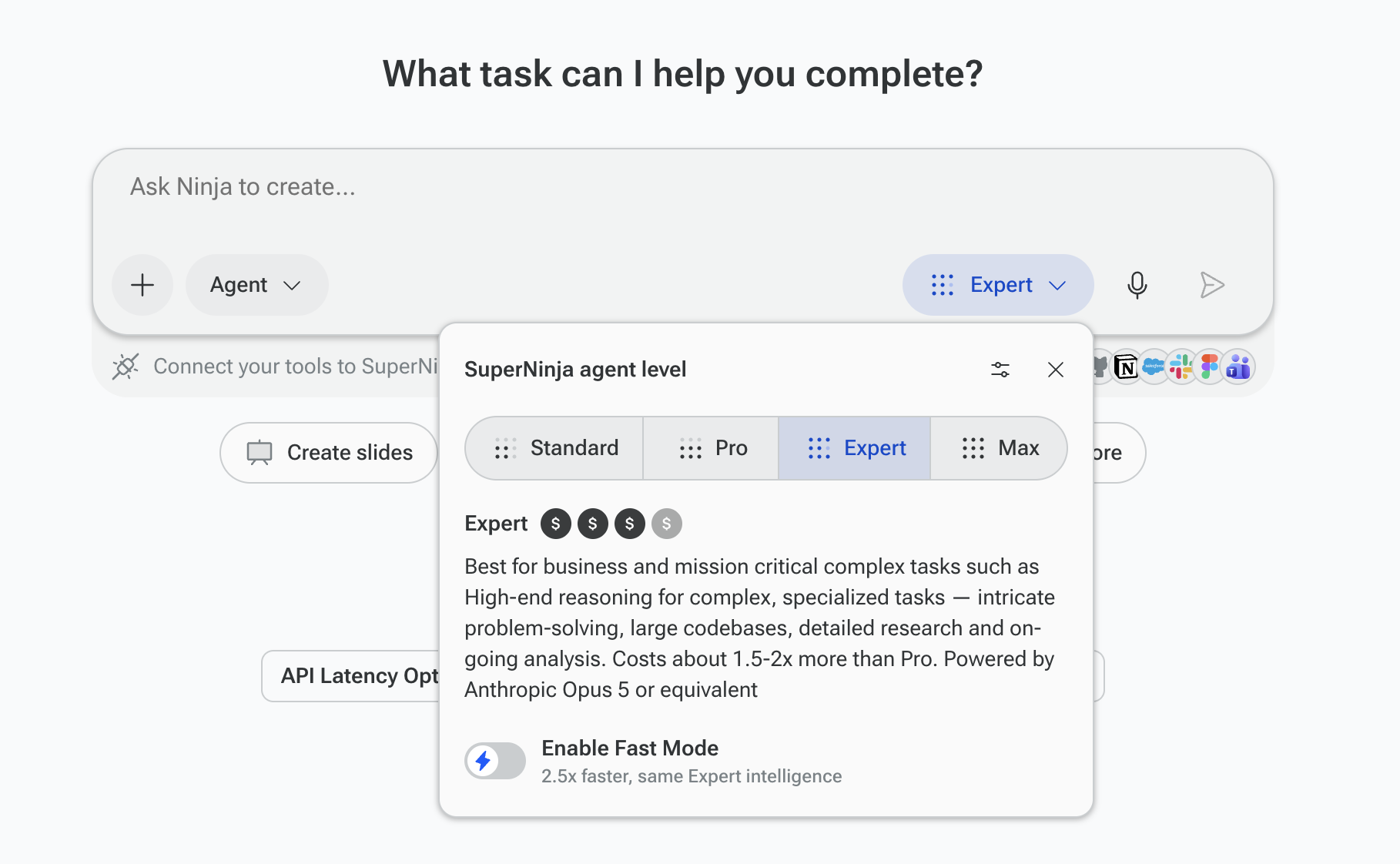
Before submitting a task, select a mode from the task input. The mode controls which AI model SuperNinja uses and how many credits are deducted from your balance for that task.
By default, the selected mode is Expert. After the web session is closed or the browser cache is cleared, the selected model resets back to Expert automatically.
Mode Descriptions
Standard Mode Powered by GLM 5.3 and Kimi 2.7 or equivalent. The default mode for everyday tasks — research, content creation, brainstorming, coding, and general-purpose work. A good balance of quality and cost.
Pro Mode Powered by Sonnet 5 or equivalent. Designed for advanced, resource-intensive tasks requiring deeper reasoning, detailed analysis, and multi-step processing. Ideal for sophisticated coding projects, data work, and tasks requiring higher-quality output. Consumes 2–3× more credits than Standard.
Expert Mode Powered by Claude Opus 5 or equivalent. Our most capable mode for large, multi-part projects requiring extended planning, iteration, and precision. Usually, each Expert request consumes1 .5-2x more credits than Pro.
Standard Fast Fast Powered by GLM 4.7 at up to 1,000 tokens per second. Optimized for speed without sacrificing quality. Ideal when quick turnaround matters. Deep Research in Fast Mode is powered by Qwen3-235B via Cerebras. 10x faster but slightly less powered model than the Standard mode with equal or up to 1.5x more costs depending on the task.
Max mode Powered by Fable 5.1. Long-horizon, multi-step, high-stakes work: repo-scale migrations, week-long research, complex financial or legal analysis.
Credit Usage by Mode
Different modes consume different amounts of credits for the same task. Here are some examples:
Task | Standard Fast | Pro | Expert | |
"Create a company event landing page" | 33 | 59 | 322 | 334 |
"Analyze files and generate key recommendations" | 10 | 81 | 251 | 336 |
"Brainstorm feature ideas to improve onboarding" | 13 | 12 | 81 | 30 |
Credit costs vary based on the complexity and duration of each task. Once a task finishes, it stops consuming credits.
What Happens When You Run Out of Credits
When your credit balance reaches zero, you'll see a message indicating you've run out of credits. To continue, you can:
Upgrade your plan for a higher monthly credit allowance
Purchase add-on credits at any time without changing your plan
Wait for your next billing cycle when your monthly allowance resets automatically
For more information on credits, see Understanding Credits in SuperNinja.
If you have any questions, please contact us at support@ninjatech.ai or submit a request through this form. We’re here to help!