Best Practices for Using SuperNinja on Large Projects
Last updated: March 10, 2026
SuperNinja is a powerful AI assistant, but working with very large projects—like a FiveM server containing 10,000+ files—requires some planning to get the best results. Follow these best practices to ensure more reliable and efficient outcomes:
1. Break Tasks into Smaller Steps
Instead of asking SuperNinja to handle an entire feature or all files at once, divide the work into smaller, manageable pieces. Focus on one module, script, or functionality at a time. This approach helps the AI remain precise and prevents it from “guessing” when referencing documentation.
Example:
✅ “Update
inventory.luato add the new item system.”❌ “Update all server scripts to integrate the item system.”
2. Provide Explicit Context
Be clear about which files or functions the AI should reference. The more specific your instructions, the more accurate SuperNinja will be.
Example:
✅ “Use
target.luafrom the uploaded docs and integrate functionXintoscript Y.”❌ “Integrate the new feature using the docs.”
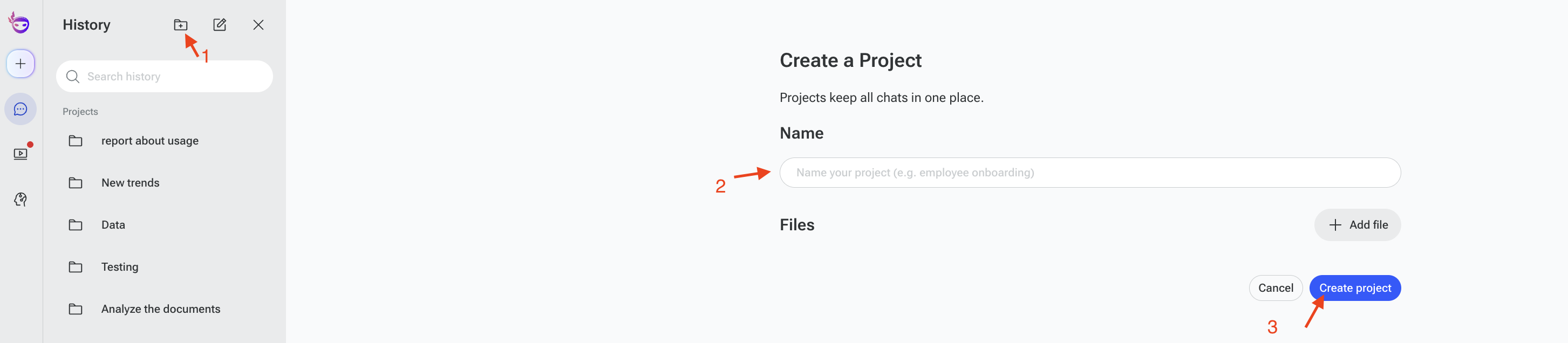
3. Use Projects to Preserve Context
Organize all related threads in a Project. This keeps context across multiple steps, so you don’t lose progress and the AI doesn’t start fresh each time. Projects are especially useful for long-term, multi-file tasks.
4. Leverage “Continue” When Cut Off
If SuperNinja stops mid-task or reaches a length limit, simply prompt:
"continue"
This ensures the AI resumes from where it left off rather than restarting or shifting directions.
5. Start with a Subset of Files
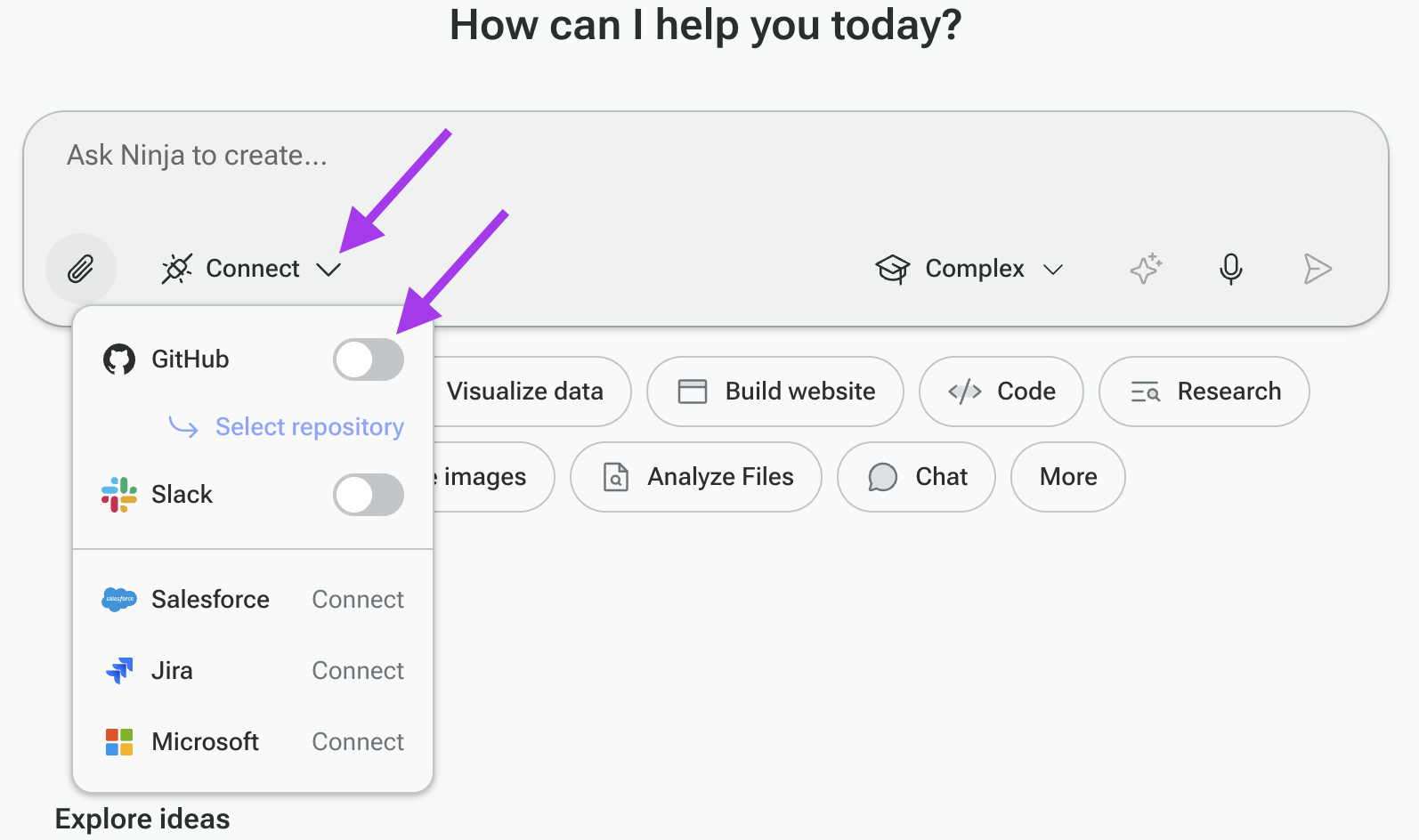
Uploading all 10,000+ files at once can overwhelm the AI sandbox. Begin with a smaller, relevant set of files or link to a specific GitHub folder. Once the initial work is complete, you can expand to additional files as needed.
Following these strategies will make SuperNinja more efficient and accurate on large projects, helping you maintain control, reduce errors, and get results faster.
If you have any questions, please contact us at support@ninjatech.ai or submit a request through this form. We’re here to help!