How to improve your workflow with SuperNinja and get more effective results
Last updated: June 26, 2026
Start with Clear Instructions: When you initiate a SuperNinja task, provide concise, structured guidance—what outcome you want, any constraints, and specific points to focus on. Even non-technical language works well. As an example, here’s a prompt you could try with SuperNinja to guide it in generating a research report:
"You are an environmental data analyst. Using the attached Excel file containing air quality measurements from major U.S. cities (2022–2025), generate a concise report summarizing trends in pollutants (PM2.5, NO2, O3) and their impact on public health. Include key statistics, identify cities with the highest pollution levels, and provide actionable recommendations for local policymakers. Organize the report into an introduction, data analysis, visual summaries (charts/graphs), and a conclusion in PDF file. Reference all data directly from the Excel file."
This shows how you can assign a role, specify the task, and structure the output. You can modify it for other topics or workflows.
When you interact with SuperNinja, its primary goal is to understand your intent and respond effectively. Most of the time, it can quickly interpret what you need. However, there are instances when it might not fully grasp your exact intent—especially if your prompt is vague or open to multiple interpretations. To get the best results, be as specific as possible when crafting your prompt. For example, instead of asking, “What’s the best way to market a product?” try something like, “What are some effective social media strategies to market a new eco-friendly water bottle?”
Iterative Refinement: You can always send follow-up instructions in the same chat to clarify or redirect the AI, even though the agent begins working on the initial instruction. Breaking tasks into smaller steps can make interjection easier.
SuperNinja Projects: Using SuperNinja Projects, you can organize your work, provide consistent context across conversations, and retain knowledge for iterative tasks like reports or research projects.
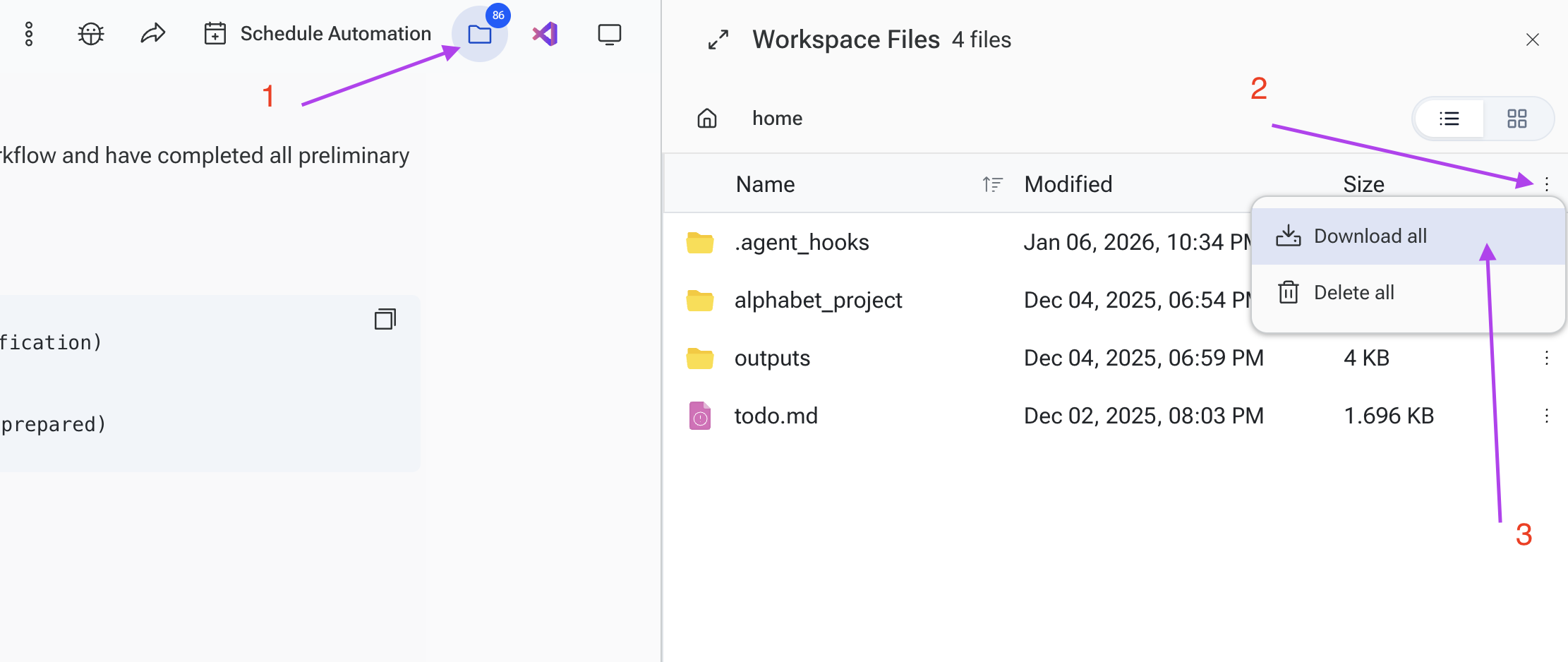
You can also access files in the chat by clicking on the folder icon in the top right corner. From there, you can either download all files as a ZIP package or download individual files by double-clicking the desired file and selecting Download.
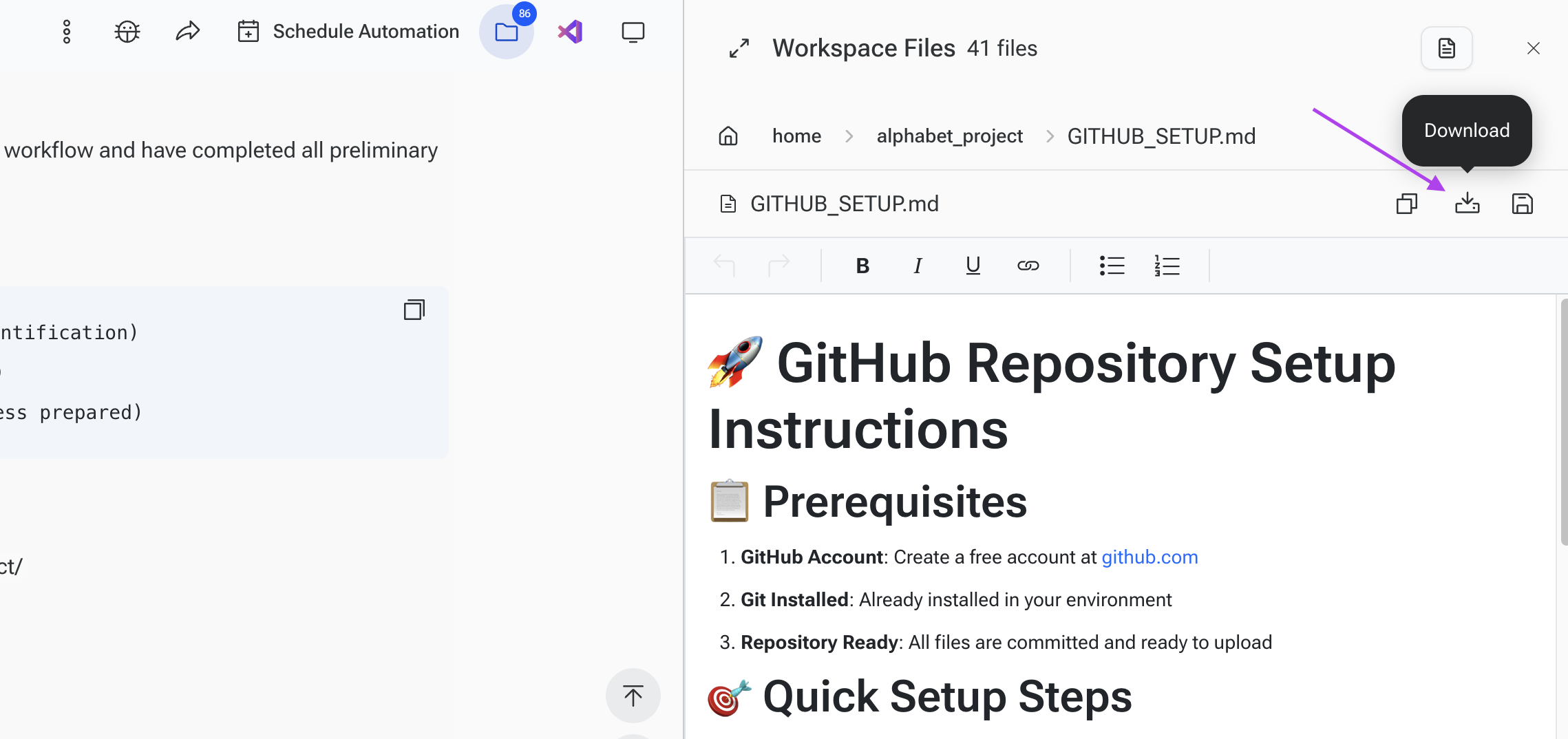
To download an individual file, open the file you need and then click Download. It will download in its original file type.
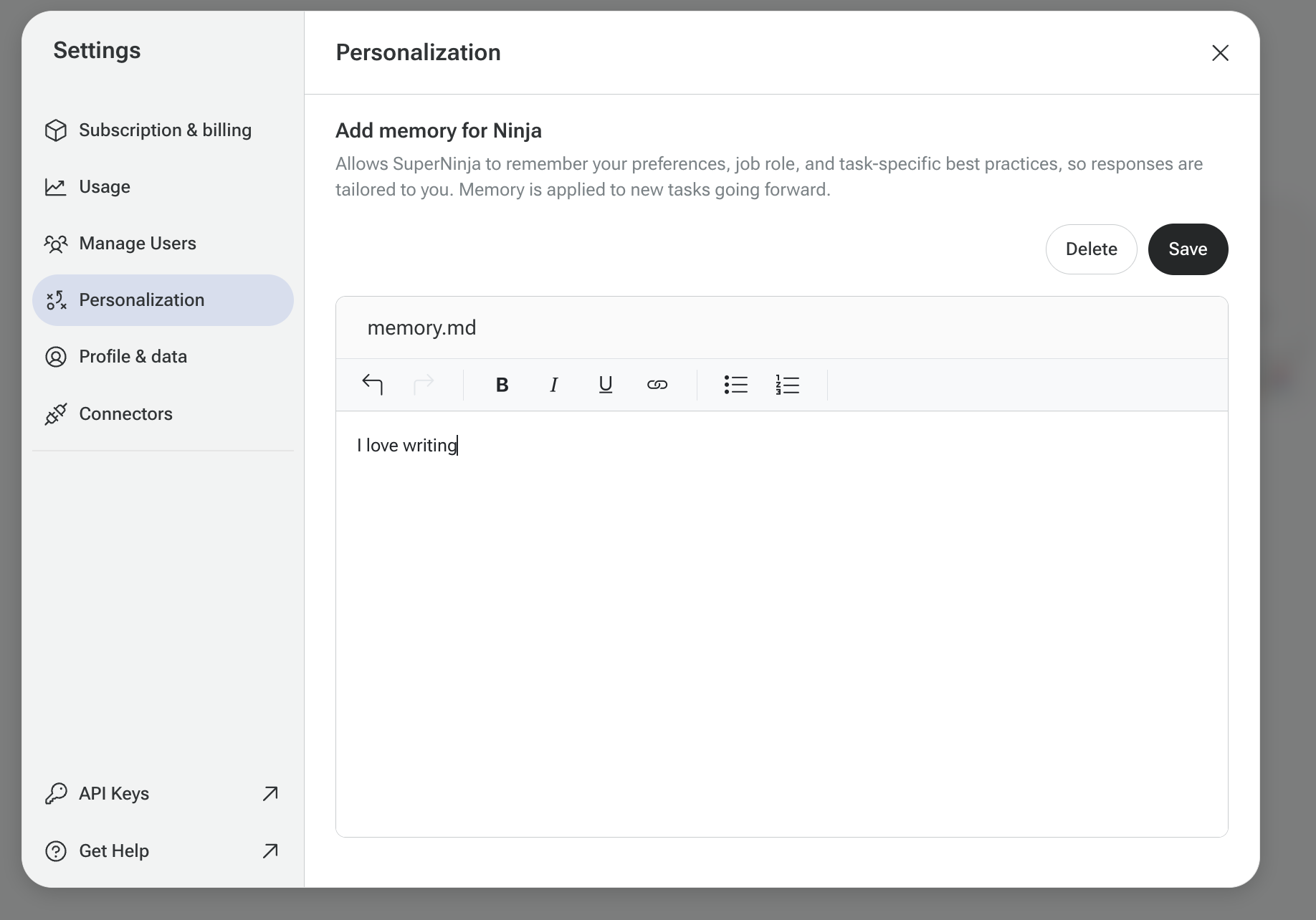
Memory about your preferences: In SuperNinja, you can add knowledge that persists across all conversations within that project. This allows for more consistent context, roles, and private history specific to each project.
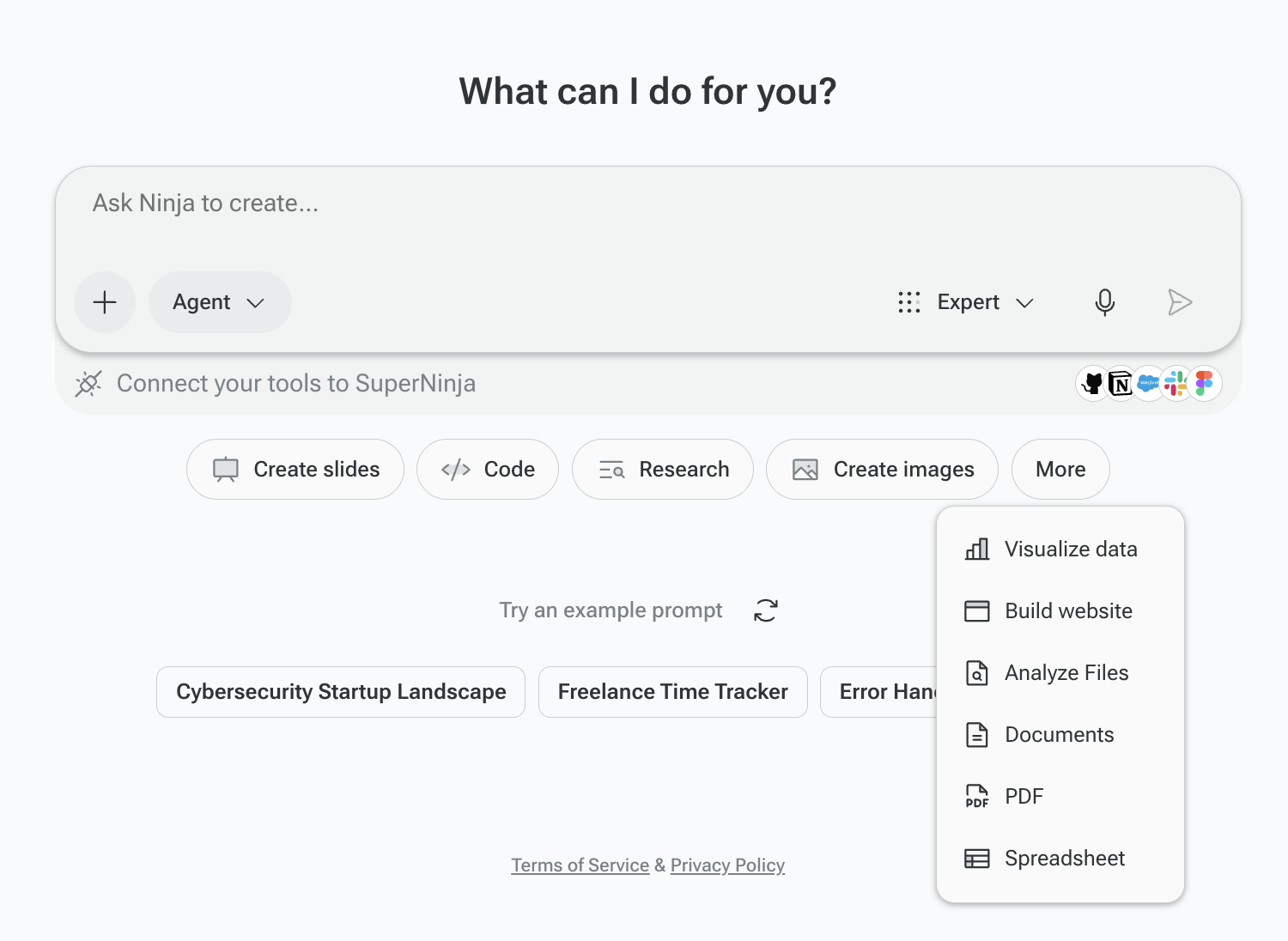
Agent Shortcuts. These allow you to direct SuperNinja AI to respond using a specific agent or skill, ensuring you get a focused and precise answer tailored to your needs. Here’s a quick guide to the available shortcuts:
Slides Agent — Create and modernize PowerPoint presentations
Code Agent — Write, debug, and optimize code across languages
Image Agent — Generate images from text descriptions
Website Agent — Build, deploy, and share web applications and landing pages
Chat Agent — Brainstorm, write, and have in-depth conversations
Analyze Files Agent — Extract insights from documents, spreadsheets, and images
Data Visualization Agent — Turn raw data into visual representations
Research Agent — Conduct deep research with citations
PDF Agent — Create and edit PDF documents
Documents Agent — Create and edit Word documents
Spreadsheet Agent — Create and edit Excel files
Prompt Examples:
Task: Writing a Job Description
Bad Prompt: "Write a job description for a manager."
Better Prompt: "Write a job description for a Senior Product Manager. Highlight leadership experience, familiarity with SaaS products, and a focus on driving user adoption. Use a professional tone."
Task: Generating Sales Content
Bad Prompt: "Write something to help me sell software."
Better Prompt: "Write a short email to introduce a SaaS tool that helps marketers create content faster. Highlight features like AI-assisted editing and collaboration, and include a call-to-action to schedule a demo."
Task: Conducting Market Research
Bad Prompt: "What do people want from shoes?"
Better Prompt: "Summarize current trends in sustainable footwear for 2025. Focus on consumer preferences for eco-friendly materials, comfort, and durability. Include insights from major brands."
If you have any questions, please contact us at support@ninjatech.ai or submit a request through this form. We’re here to help!